
BusyCal: Calendar & Tasks
Schedule events, track , manage time
Busy Apps FZE
iPhone Screenshots
Description
Manage schedules, events, and with customizable views and natural language input. Add to-do lists, set reminders, and sync with iCloud, Google , Exchange, and Todoist. Track travel time, integrate maps, and receive weather updates.
BusyCal is a calendar and task planner built for busy schedules. It connects to every account you already use, shows your events and tasks side by side, and bends to the way you work: pinch to see more days or weeks, type events the way you would say them, and keep everything in sync with BusyCal for Mac.
One-time purchase. No subscription.
YOUR CALENDAR, YOUR WAY
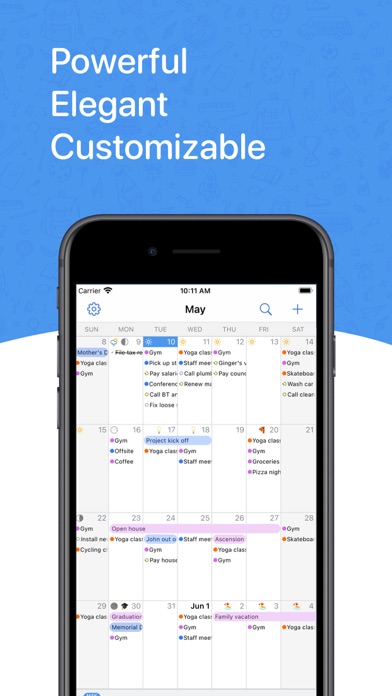
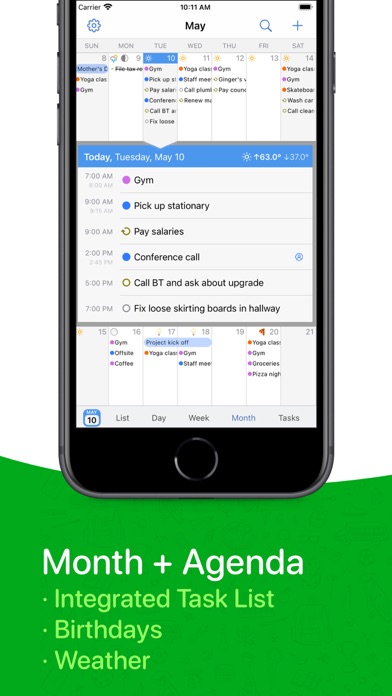
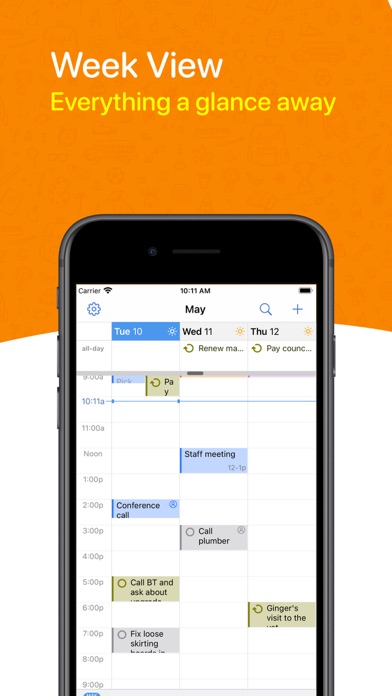
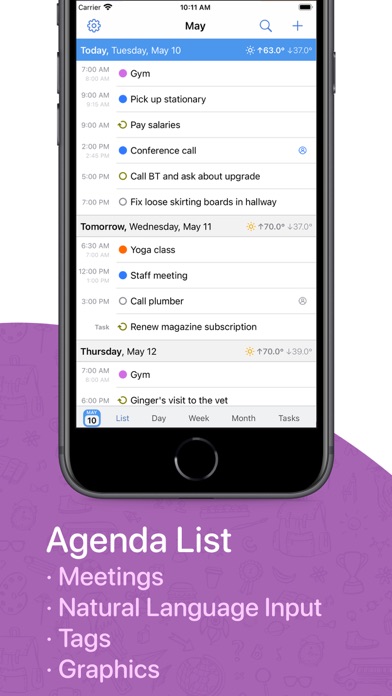
• Day, Week, Month, Year and List views, plus a dedicated Task list
• Pinch to zoom: 2 to 14 days per week and 2 to 8 weeks per month, with separate portrait and landscape layouts
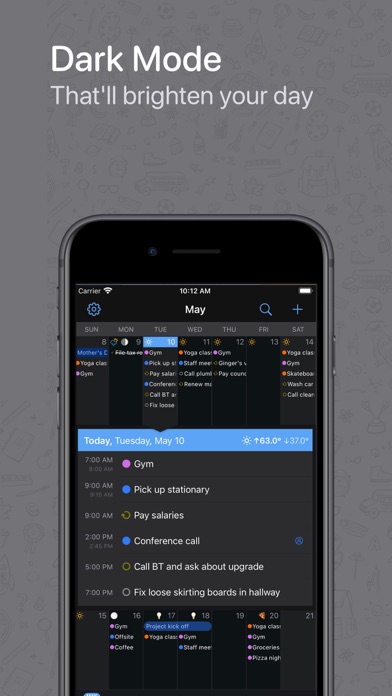
• Customize colors, text size, weekend shading, week numbers and working hours, or show a Chinese, Hebrew, Islamic or Japanese calendar alongside
• Year view as a wall planner or heat map, with Highlights that reveal your busiest months, top calendars and meeting stats
TYPE IT THE WAY YOU WOULD SAY IT
• Type "Lunch with Sam next Tuesday at noon" or "Standup every weekday at 9:30" and BusyCal fills in the date, time and repeat as you type
• Understands alarms, time zones, calendars (/work) and links, in English, German, French, Italian, Spanish, Dutch, Japanese, Korean and Simplified Chinese
TASKS IN YOUR CALENDAR
• Dated, timed and undated tasks appear right in your calendar and carry forward until done
• Priorities, repeats, and a Task list you can sort by due date, priority, calendar, tag or by hand
• Works with Apple Reminders, iCloud, Google Tasks, Todoist and Fastmail
EVERY ACCOUNT, ONE APP
• iCloud, Google Calendar, Microsoft 365, Outlook.com, Exchange, Yahoo, Fastmail, Fruux and any CalDAV server, plus WebDAV subscriptions for holidays and sports
• Push updates where your server supports them, and accounts you add once are offered to your other devices
• Syncs with BusyCal for Mac, Apple Calendar and any other app on the same accounts
MEETINGS AND INVITES
• Invite attendees, and accept, decline or reply Maybe straight from the Inbox
• Zoom, Microsoft Teams, Google Meet, Webex and GoTo links become one-tap join buttons, and you can create Zoom and Teams meetings from inside the app
• Block time on a second calendar in a couple of taps, with or without the details
WIDGETS, WATCH, SIRI AND SHORTCUTS
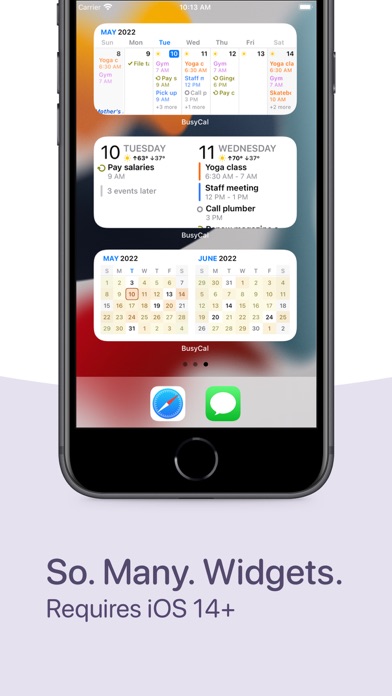
• Home Screen widgets for what is next, your agenda, the week, two weeks, three weeks, and tasks you can complete from the widget
• Lock Screen widgets and Control Center buttons for new events and tasks
• Apple Watch app with calendar, today, up next and tasks views, plus complications for your watch face
• Siri: "Add lunch with Sam tomorrow at noon", "What's coming up", "When am I free"
• Shortcuts actions to find, create, move, defer and complete items, and a Focus filter that switches calendar sets
TRAVEL TIME, MAPS AND TIME ZONES
• Add travel time to an event and get a leave-now alert based on real driving or walking time
• Maps inside event details, with directions in Apple Maps, Google Maps, Waze, Citymapper or TomTom GO
• Favorite time zones, and events that start and end in different zones
TAGS, CALENDAR SETS AND PRIVACY
• Color-coded tags to track projects, people and priorities across calendars
• Calendar sets: named groups of calendars, each with its own default calendars and preferred view, synced across your devices
• Lock the app, or just certain calendar sets, with Face ID or Touch ID
AND MORE
• Weather and moon phases on your calendar
• Birthdays and anniversaries from Contacts, with age and years
• Search titles, locations, notes and tags across past and future
BusyCal has been trusted by Mac users for more than a decade. The iPhone and iPad app is its full-featured companion, made by the same team.
Questions? Visit busymac.com/docs or write to us from within the app.