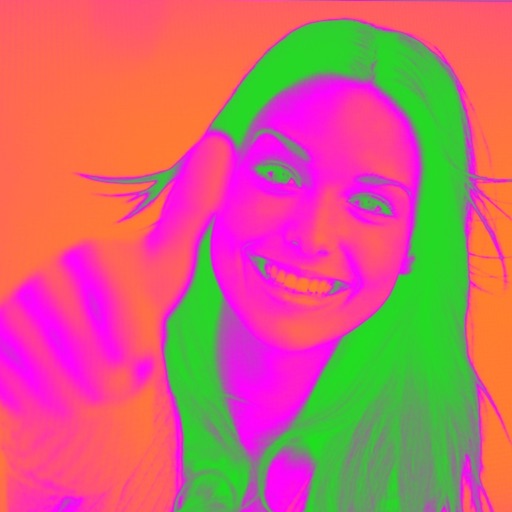
Turn your camera into a creative tool with . Apply fluorescent color filters to photos. Choose from 30 color combinations. Tap to switch views and capture images with unique color effects. Share edited photos directly.
Create artistic images with single-tap camera effects and professionally designed filters. Adjust brightness, contrast, and tone curve. Blur and focus images. Rotate, crop, and resize photos. Add text and fun stickers.
Edit photos using AI-generated filters based on text prompts. Transform selfies and images with unique styles and magical effects. Apply AI-powered enhancements without complex tools or sliders. Share edited photos directly from the .
Edit photos by selecting from a gallery or capturing new images. Apply unique and not found elsewhere. Adjust background colors and photo size. Combine multiple with a single tap. Export and share edited photos.
Create comic-style selfies with cartoon effects and animal attributes. Add celebrity filters and time travel features to funny images. Share edited photos directly.
Edit photos to remove blur and sharpen details. Adjust brightness, contrast, and color balance. Enhance overall image quality and export edited photos.
Edit photos by swapping faces using AI technology. Adjust facial features and apply filters. Copy faces from one image to another. Create realistic or humorous -over effects. Share edited images directly.
Edit photos with filters, overlays, and effects. Create collages and visual stories. Track pregnancy milestones and growth. Add text and stickers to photos. Share edited images directly.
Edit photos with skin smoothing, blemish removal, and tone adjustment. Resize body parts, whiten teeth, and change hair or eye color. Apply makeup, add filters, and adjust lighting. Save and share edited images directly.
Apply color filters inspired by New City to photos and videos. Use photo effects like Daily, Retro 1, Retro 2, Old, SC, UB, MS, HL, TS, HR, CP, and BB. Apply live filters during shooting. Customize date stamps with specified date and format options.
Apply effects to photos in real time with 8 live lenses. Add 60 live filters to lenses or use 60 static filters for creative enhancements. Capture and share edited images directly.
Create photos with effects and light leaks. Apply 36 shapes and 33 light leak effects. Use 23 image filters. Adjust size, opacity, and color. Draw multiple shapes with touch. Apply multiple shapes to one photo.
The app transforms photos into halftone and rasterized artwork using dots, lines, and shapes. It offers creative modes like Grid, Interlaced, Radial, and Photo, with options for bicolor, multicolor, or full color.
The app offers a large collection of Hollywood special effects for photo editing. Users can add professional composition tools like color correction, motion blur, and fog to their images.
Capture photos using a 1-bit camera with only black and white pixels. Choose from three pixel resolutions and an 8-color mode. Features chunky buttons, mechanical sounds, and clean PNG output for printing or further use.
Turn photos into cartoon characters with various artistic styles including marker pen, 3D Polaroids, Animal Crossing, chibi illustrations, and animated movie effects. Apply filters, adjust colors, and export edited images.
Apply effects to photos with multiple classic color options and adjustable beauty filters. Add grain intensity and choose from various photo borders. Import photos from the album to apply effects and use photo frames. Supports Live Photos.
Capture photos and videos with a for a vintage look. Adjust noise levels and apply retro filters. Record audio with a simple interface. Save and share images in low-resolution format.
The app turns an iPhone into a motion detecting camera with a live feed to a desktop. It uses a mathematical algorithm to spot movement and record photos.
Access photos and video footage from connected dash cams via WiFi. Download, share, and manage files including trimming, cropping, and exporting. View timestamps and location data embedded in videos.