Documents into clear PDF or PNG formats. Automatically detect edges and multiple pages into one file. Sign, enhance, and organize scanned documents. Share via email, iCloud, Dropbox, or Box.
Scan using OCR to extract text. Sign and edit files with one tap. Share pages as JPG or PDF. Save in black and white, color, or grayscale. Read and scan QR codes. Highlight and correct text within .
Arthur Eduardo Skaetta Alvarez Desenvolvimento de Software LTDA.
With one touch
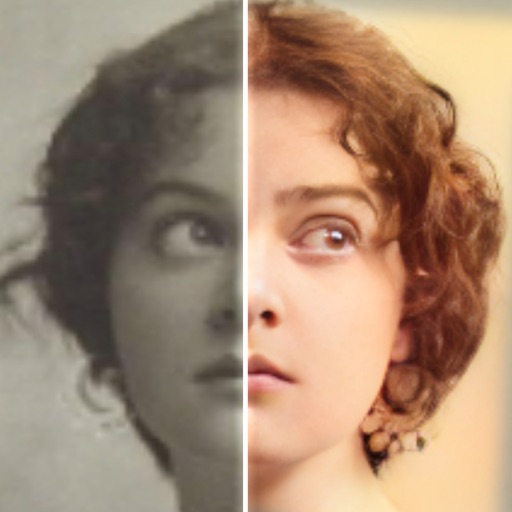
Using AI to add color to black and white images. Import from camera or photo library. Adjust color intensity with a slider. Save or share the edited image.
AI improves quality, fixes lighting, and sharpens details. AI Unblur converts pixelated or blurry images into clear high-resolution photos. Users can upload photos and apply AI-powered enhancements to restore old memories or refine portraits.
Scan documents like bills, receipts, and IDs into high-quality PDF or JPEG files. Share, email, or print documents directly. Upload to cloud services. Access premium features via an optional subscription.
Documents with high-quality imaging and OCR text recognition. Save and organize files in folders. Sync and auto-upload scans to cloud storage. Share scanned documents directly with others.
The app transforms an iPhone into a document scanner. It offers one-touch scanning with automatic edge detection, cropping, and perspective correction for excellent output.
Add and to with customizable fonts and animations. Position and resize anywhere on the screen. Set duration using a time slider. Crop to square. Choose from preloaded or . Apply start and end animations to elements.
Documents and business cards by taking photos. Edit scans with cropping, rotation, and color adjustments. Convert text to speech and use OCR for text extraction. Export as searchable PDF or DOCX.
INFOSOFT Informations- und Dokumentationssysteme GmbH
Scan and organize documents instantly
Scan documents into searchable PDFs with OCR text recognition. Organize and access files instantly through a secure management system. Store documents locally or in the cloud. Share scanned documents directly via email or messaging.
Documents, photos, receipts, or other materials into clear, sharp images or PDFs. Correct perspective, remove shadows, and adjust colors. Save, email, print, or cloud-store scans. Combine multiple scans into one PDF using batch mode.
Edit photos with AI colorization, enhancement, and restoration. Remove scratches, tears, and blurs. Convert black and white images to high-definition . Adjust clarity and brightness. Share restored photos directly.
Documents, photos, or text to create digital copies. Automatically detect document borders or adjust manually. Convert captured content into PDF format. Share or save scanned files directly.
The app automatically corrects color balance and exposure with the option to fine-tune adjustments. It allows users to convert images to black and white or sepia tones and supports Wide Gamut displays.