Transform photos into blurry wallpapers for Home or Lock screens. Drag images horizontally to adjust the crop. Use bright, colorful photos for results. Shake to get new images. Save preferred blurriness and access saved images in the Photos .
by Sindre Sorhus★ 4.877 ratingsPhoto & VideoFreeData updated 2026-09-09
Edit photos with unblur, restoration, and enhancement tools. Perform face aging, filtering, and swapping. Colorize black-and-white images and repair damaged photos. Retake photos using AI. Animate images and create HD art with one-tap AI generation.
Set wallpaper for models including 16, 16 Pro, 16 Pro Max, 15, 14, 13, 12, 11, and others. Choose from high-quality Ultra HD images. Apply directly to device home screens and lock screens. No subscription required.
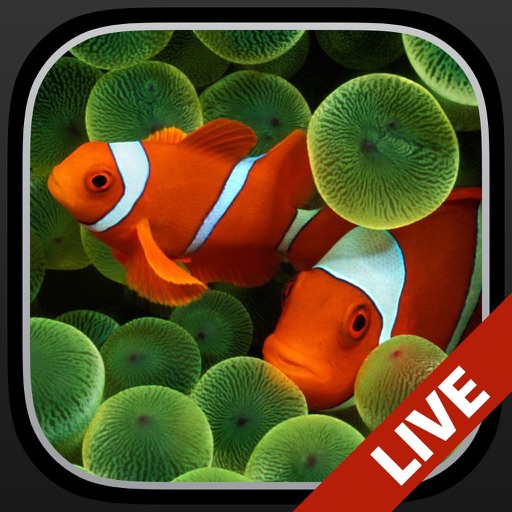
Change the wallpaper with animated scenes featuring sharks, clownfish, and blue tang. Swipe through multiple wallpapers to select favorites. Save preferred wallpapers to the Camera Roll for later use. Requires iPhone 6s or later.
Edit photos by blurring backgrounds, faces, or specific subjects. Apply various effects and filters. Save edited images to the camera roll or share them directly.
Edit photos with background removal, erasing, and custom text or graphic addition. Change backgrounds and enhance images with AI tools. Export and share edited photos directly.
View wallpapers that animate on 3D Touch. Browse and select from a catalog of photos. Preview animations in slide mode. Save preferred wallpapers to the Camera Roll.
Edit photos to fit as with adjustable sizing and parallax effects. Share photos with friends and family or upload pet photos. Apply filters and save edited images directly.
Create collages using pre-designed templates and personal photos. Sort images by color to filter matching photos. View and photo library simultaneously for easy arrangement. Add web images directly from the . Export and share finished collages.
Edit photos with text addition, drawing tools in multiple colors, and cute icon placement. Crop images using various ratios. Export edited photos in different formats.
Customize iPhone home and lock screens with high-definition , depth effects, and . Add widgets and charging animations. Choose from aesthetic themes and shuffle options to replace low-resolution photos.
Edit photos with one-touch object removal, AI-powered enhancements, and advanced retouching tools. Adjust colors, brightness, and contrast. Add text, stickers, and filters. Export in various formats and share directly.
The app allows users to create personalized iPhone wallpapers using photos, calendars, memos, and stickers. Users can add custom stickers and save their designs to the photo album to set as wallpaper.
Create custom wallpapers with scaling and resizing options on various backgrounds. Choose from color, gradient, pattern, bokeh, and text effects. Apply parallax effect for all iPhone and iPad devices.
Edit photos with AI-powered enhancement, unblurring, and sharpening. Remove objects and restore old images. Convert photos to pixelated or HD formats. Create AI-generated cartoons. Share edited images directly.
Create poster or template collages with up to 20 photos or videos. Add text to images or videos. Edit photos with filters, cropping, and adjustments. Enhance visuals with artistic text overlays. Export collages in multiple formats.
Edit photos with filters, light overlays, and aesthetic design elements. Crop, resize, and add borders or shapes. Create collages with multiple layout templates. Include stickers and share edited images on Instagram or Facebook.
Take and ID photos using a mobile device. Automatically adjust images to meet country-specific requirements. Manually crop and resize photos for precise formatting. Save and share edited photos directly.
Customize iPhone home screens with wallpapers and backgrounds. Choose from a variety of high-quality, unique images. Set dynamic wallpapers that change over time. Add personal touches to make the device stand out.
Edit photos to remove noise, sharpen blur, and enlarge details. Process images using AI for enhanced quality. No cloud uploads for secure storage. Processing time varies based on file size.