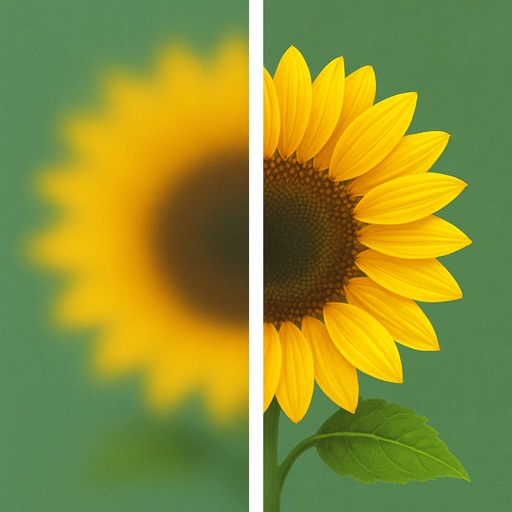
Transform photos into blurry wallpapers for Home or Lock screens. Drag images horizontally to adjust the crop. Use bright, colorful photos for results. Shake to get new images. Save preferred blurriness and access saved images in the Photos .
by Sindre Sorhus★ 4.877 ratingsPhoto & VideoFreeData updated 2026-09-09
Edit photos and videos with face filters for skin smoothing, glowing effects, and natural enhancements. Adjust hairstyles and body shape for realistic alterations. Apply AI-powered tools for instant, professional-looking results.
Restore old, blurry, or damaged photos using AI-based enhancement. Adjust clarity, brightness, and color. Remove blemishes and red eye. Resize and export in various formats. Apply filters and effects. Share restored images directly.
Edit photos with motion , bokeh lens, and mosaic effects. Adjust brightness, contrast, and color. Crop images to various sizes. Share edited photos directly. Apply to the entire image, background, or specific faces.
Clean up clutter by swiping through images to delete or keep. Remove duplicates, blurry shots, old screenshots, and other unwanted files. Quickly free up storage space without ads.
Photos, slides, and negatives to create a digital library. Use AI to enhance and organize images. Share scanned items with others. Preview and edit basic scans within the .
View and customize wallpapers and lock screen backgrounds. Preview images before setting. Share or save preferred designs. No downloads required. Adjust backgrounds to fit screen size.
Generate professional-quality AI portraits instantly for social media, personal use, or professional purposes. Apply AI filters to transform photos into cartoon, neon, or anime styles.
Provide high-quality HD and 4K for home screens and lock screens. Features include browsing anime-themed images, downloading , and setting them as device backgrounds.
Create live wallpapers using free templates and customize with stickers. Take photos with a photo booth featuring fun stickers. Edit images with AI tools and templates. Share creations directly from the .
Customize device home screens and lock screens with animated time-lapse scenes, pet animations, and abstract patterns. Set dynamic and themes. Download new animations weekly. Create custom with editing tools.
Customize lock screen with of sports . Apply special effects like rain, flashing lights, or smoky exhaust. View HD videos with movement. Slide to browse and download preferred .
Set home and lock screen with high-resolution images. Choose from static and animated options. Customize wallpaper settings for optimal display. Share via social media or messaging.
Wallpaper offers moving backgrounds for the lock screen. Users can browse 100+ animated designs including nature scenes and geometric patterns. Swipe to save preferred to the camera roll. Apply saved through standard settings.
Set live with motion effects and animations. Choose from various like aquariums, beaches, and geometric patterns. Customize lock screen appearance. Apply through a simple swipe interface.
Edit photos with AI auto-beautification, facial retouching, and skin smoothing. Adjust features, enhance lighting, and apply filters. Save and share edited images directly.
Uses AI to enhance blurry photos. Users can restore out-of-focus images with machine learning algorithms. One-tap processing allows quick restoration. Adjust brightness, contrast, and sharpness manually. Export enhanced photos in various formats.
AI-generated videos and images from single photos. Upload selfies or portraits to create dance videos using TikTok-style templates. Convert photos into AI videos or studio-quality portraits. Edit and export final outputs directly.
Enhance quality with AI-powered upscaling. Remove blur, grain, and pixelation to create crisp, high-resolution images. Restore old photos and videos. Share edited files directly.