Apps Like Cut and Paste: Photos Editor for iPhone and iPad
Paste onto custom backgrounds
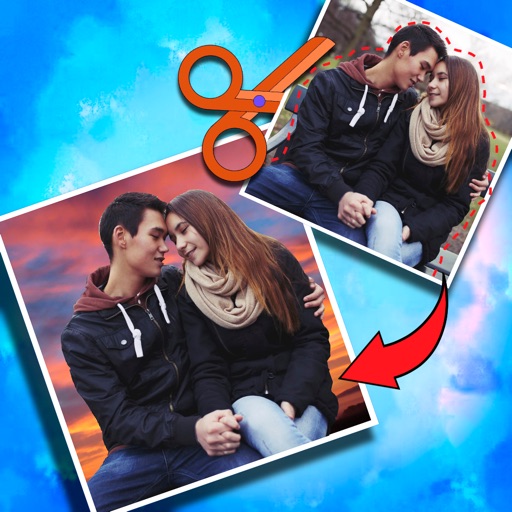
Edit by cutting out subjects and pasting them onto chosen backgrounds. Adjust brightness, opacity, and shape. Add multiple and share creations on Instagram.
by Owen Schick★ 4.42,287 ratingsPhoto & VideoFreeData updated 2026-09-09
Trim, cut, and crop clips. Adjust brightness, contrast, and color. Add slow motion effects. Overlay multiple clips. Export videos in various formats. Share directly from the .
The app helps users track tasks on a calendar, set goals, and create habits. Users can check off completed items to increase productivity and stop being lazy.
Move a to absorb weapons along a path. Adjust size to consume larger weapons. Track time remaining to complete each level. Customize appearance. Clear obstacles by swallowing weapons before time runs out.
Backgrounds from images with precise touch or auto-target tools. Maintain transparency for use in apps like Keynote or Pages. Edit pixels for accuracy and erase or restore specific areas.
Crop photos and save individual cropped sections for later use. Combine cropped images with backgrounds or other photos to create new compositions. Apply filters to enhance the visual appearance of edited images.
The app allows users to edit and record music, voice, and other audio recordings. It provides tools for cutting, copying, pasting, and adding effects like echo and noise reduction to audio files.
Turn photos of pets or objects into customizable patterns for lock screens. Create animated patterns and save as live photos, videos, or GIFs. Use AI to cut out subjects or trace manually. Choose from suggested colors and palettes.
Play a skating by dragging fingers left to right to avoid obstacles and race down a path. Control legs to navigate and stretch for directional choices. Avoid hits to progress through levels and access bonus content.
Create custom emojis using facial expressions. Capture and edit images to generate stickers. Add filters and borders for enhanced visuals. Share emojis via iMessage and social media. Upgrade to Pro for advanced editing features.
Enhance and restore photos with one tap. Apply AI-powered colorization to black and white images. Import old photos and improve clarity and color. Subscribe for full features.
Create and edit videos and images with trimming, cutting, and merging tools. Add music, text, and stickers. Export to iOS devices or social networks like TikTok, YouTube, Instagram, and Facebook.
Edit photos with Retouch AI for face and skin enhancements. Apply selective adjustments to objects and masks. Use overlays and global settings for lighting, color, and effects. Export and share edited images directly.
Edit photos by cutting and pasting faces, removing backgrounds, and deleting unwanted people. Add missing faces to photos. Use the silhouette head tool to select and edit elements. Export edited images directly.
Access content from popular internet stars. Subscribe monthly or yearly for auto-renewing subscriptions. View exclusive digital content. Manage subscription settings within the . Make payments through iTunes account.
The app allows users to cut portions of photos, such as faces or objects, and paste them onto other images. Users can select photos, cut parts of them, and then paste these cut sections onto different backgrounds from their gallery or camera.
Remove backgrounds from photos using deep neural networks. Cut out people or objects and paste them into new images. Swap backgrounds and save edited images in various formats.
Edit with one-click cutout and batch processing. Remove unwanted elements and replace backgrounds. Create collages and ID . Use templates and stickers for design. Perform multi-layer synthesis and green screen effects.
Create 3D artwork by coloring voxel-based characters using numbered guides. Select from various 3D coloring pages. Customize colors and save completed designs. Share creations with others.
Trim videos to remove unwanted parts. Add background music from your device. Adjust speed for or fast . Modify brightness and blur settings. Insert text with customizable colors, fonts, and effects.