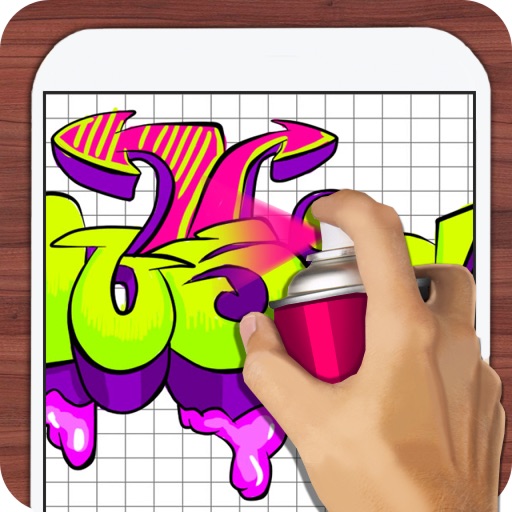
Design tags with customizable markers and nib shapes. Choose from various stroke sensitivities and color options. Save creations with one click. Create personalized street art and tags.
by TOUCHSCREEN LEARNING LTD★ 2.091 ratingsEntertainmentFreeData updated 2026-09-09
Create digital art with a variety of brushes, layers, and color adjustments. Use an eraser for modifications and access reference avatars and sketches. Save and share completed artwork.
Edit photos by adjusting brightness, saturation, and contrast. Crop, rotate, and apply special . Draw on images, add text, and create graffiti. Share edited photos directly from the .
Find and use popular Instagram tags and to increase post engagement. Select tags by category, copy and paste them directly. Improve visibility and attract more followers through targeted content.
Create and customize drawings of characters like dogs, bears, and rabbits. Place them in scenes such as a café, kitchen, or pool party. Add details and decorations to scenes. Save and share completed artwork.
Repost posts from Instagram with one click. Maintain image quality during reposting. Apply over 1,000 tags to posts. Schedule posts for later. Remove watermarks from media. Repost without including a link.
Create and edit digital art with brush tools, layers, and color blending. Import photos and sketches. Adjust brightness, contrast, and saturation. Add text and shapes. Export artwork in various formats and share directly.
Create digital artwork using drawing tools and customizable templates. Access categorized sketch ideas for different skill levels. Save and share drawings directly. Adjust brush settings and layer options for detailed artwork.
Lets users generate unique via AI neural networks. Search by tags and color to find desired designs. Download high-resolution images to customize device backgrounds.
Edit photos with 3D and color effects to create立体 art. Apply special effects to enhance images. Save and share edited photos directly. Use fun and intuitive editing tools for creative customization.
The app uses live-calculated brushes and strokes with HDR values for a unique art style. It offers gritty paper/canvas textures that interact with drawing tools for a satisfying look.
By numbers with detailed designs and numbered sections. Select colors and apply them to complete images. Save and share finished artworks. Adjust brush size and opacity for precise coloring.
Save bookmarks with one tap while browsing. Organize links into folders and tags. Search and access saved content quickly. Sync bookmarks across devices. Share links directly from the . View detailed metadata for each bookmark.
Merge photos into artistic compositions by selectively editing and combining image elements. Remove or re-add parts using finger painting techniques. Adjust brush settings for precise control.
The app provides a digital whiteboard experience for drawing and sketching. It offers multiple marker colors and tip sizes, with undo/redo functionality and the ability to save drawings.
Create a personalized soundboard with audio from various sources. Upload audio from your device or share files from other apps. Organize sounds using folders and tags. Search for specific audio clips.