Export Photos as GIF, , or still images. Customize GIF settings including resolution and frame rate. Batch export multiple Photos with consistent settings. Limit GIF file size for social media. Export single frames from Photos.
With filters, cropping, and adjustment tools. Apply beauty enhancements and double exposure effects. Use color splash and resize images. Access frames and story templates. Change resolution and export in multiple formats.
Edit photos by applying filters and adding eye effects. Choose from multiple eye styles and import images from the camera roll. Share edited photos on social media platforms like WhatsApp, Facebook, and Twitter.
Split photos into 2 to 9 sections without quality loss. Preview swipeable panoramas before posting. Share split images directly to using the "Select Multiple" feature.
Edit photos with seasonal frames and nature effects. Select images from the gallery or take new photos. Apply filters and effects to enhance visuals. Save and share edited photos directly.
Print multiple photos on a single page by selecting images and defining individual print sizes in millimeters, centimeters, or inches. Choose a printer and start the process.
Enhance low-quality photos using machine learning. Import images from gallery or capture new ones with camera. Tap a button to automatically improve resolution. Compare before and after enhancements in real time.
Browse a collection of and nature for Home Screen, Lock Screen, or other devices. Filter by wallpaper framing for iPhone, iPad, or Mac. Download directly from the . View daily featured photos.
Tsingtao TikTok Information Technology Company Limited
Try AI haircuts in 15 seconds
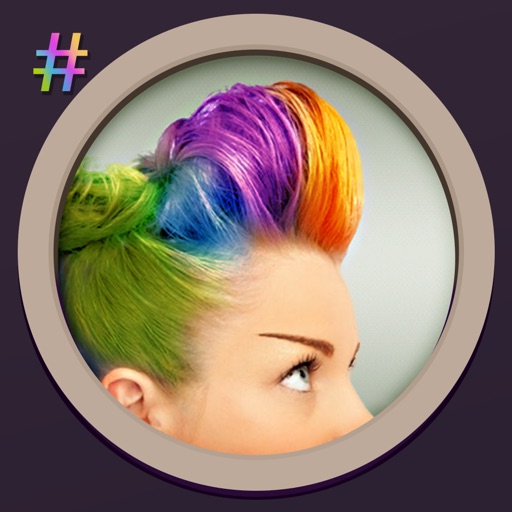
Use AI to simulate styles from photos. Select an AI effect, upload a clear image, or take a photo. nd view the result in 15 seconds. Share the outcome directly.
Monitor social media updates directly from the home screen by adding templates. Connect multiple accounts to track posts, comments, and interactions. Customize size and layout to display selected content.
Digital fundamentals through 15 interactive lessons and activities. Use shutter speed, ISO, and aperture calculators to adjust settings. Explore animated camera models to understand or mirrorless functions.
Convert black and white images to using selective recoloring. Select photos from the gallery or capture new ones. Pan and zoom for precise editing. Resize and fit images to the screen. Use redo and undo features for error correction.
Edit photos with retro filters, aesthetic effects, and a free retouch pro plugin. Apply magic presets and dazzling effects. Adjust colors for portraits, influencer shots, film, black and white, nature, urban, and travel photos.
Enhance and restore old photos using AI image processing. Adjust clarity, color, and brightness. Remove blur and repair damaged areas. Convert black and white photos to color. Export edited images in various formats.
Add multiple decorated texts to photos with various fonts and styles. Adjust color, size, and font name. Add outlines and shadows. Resize, rotate, and position texts freely. Save edited photos directly.
Edit photos with filters, select and apply Independence Day , add text with customizable font style and size. Share edited photos via social links. Set color options and arrange images in sets.