Apps Like Schedule Web Browser for iPhone and iPad
Count down and track time
Set countdown timers for specific durations. Adjust start and stop times manually. Receive notifications when timers finish. Sync across devices for consistent tracking.
by 竞 刘★ 0.00 ratingsProductivityFreeData updated 2026-09-09
Create countdowns with repeat options and custom end actions. Set notification times and sync across devices via iCloud. Display countdowns in detailed views with user photos. Support Apple Watch and iOS10+.
With customizable buttons featuring color selection, goal tracking, and or countdown modes. Set step sizes and create widgets for home screen access. Includes haptic and acoustic feedback with optional in- donations.
Track daily activities by hours and minutes. Set reminders and plan tasks. Sync data across devices. View statistics with visualizations. Earn achievements for completing goals. Plan up to 10 years of habit tracking.
Track tasks with custom durations and intelligent scheduling. Set focus timers to manage work sessions. Share progress and achievements with friends. Sync tasks across devices and receive reminders.
Turn plans into weekly calendars and daily time blocks. activities with one-tap start. Compare planned versus actual time spent. Receive personalized suggestions based on usage trends. Adjust schedules to align with goals.
Manage schedules, tasks, and notes in one . Create calendar events, to-do lists, and text notes. Sync data across devices using iCloud. Organize information without distractions.
Manage academic schedules with course listings, exam dates, and event reminders. View timetables by day or week. Add notes and set alerts for upcoming classes. Sync with Telegram for updates and feedback.
Count workouts with prompts based on custom sets and repetitions. Set countdowns, break times, and individual exercise durations. Track progress through a list of created exercises. Syncs with fitness apps for data integration.
Track multiple stopwatches at once for simultaneous timing. Start, pause, and reset individual timers. View elapsed time and total duration for each. Save and export session data for review. Sync with other devices for real-time updates.
Manage orders with scheduling and tracking features. Record earnings and expenses. Optimize workflow by organizing tasks and client information. Set reminders for baking deadlines. Generate reports for financial and operational insights.
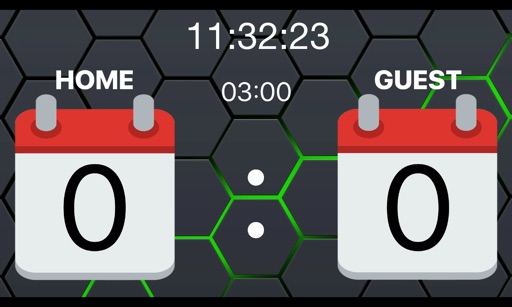
Scoreboard for live game updates. Connect via Wi-Fi to an iPhone. Display real-time scores and countdown horn for match start. Horn can be triggered individually. Set and manage countdown timers. Sync with DScoreboardTerminal controller.
Set timers with customizable durations and intervals. Adjust volume and sound. Enable vibration and tactile feedback. Choose background color and font. Disable sleep mode during timing. Support dark mode and background notifications.
Track daily activities and recurring tasks with a clear interface. View and organize your . Set reminders and manage time blocks. Sync across devices for consistent access. Export calendar data in multiple formats.
Track with daily checkmarks and progress visuals. Set small, achievable goals. Use Pomodoro intervals for focused work sessions. Receive reminders and streak tracking. Sync across devices for consistent progress.
Control home appliances remotely from anywhere. Manage multiple devices simultaneously. Set timers for automated functions. Share devices with family members via one tap. Connect devices quickly. Automatically start and stop smart devices.
Lets users track time until or since events like birthdays or anniversaries. Create countdowns or timers for specific dates. Choose from pre-designed widgets or customize designs. Set reminders for important moments. Share countdowns with others.