Edit photos with AI-powered background removal and replacement. Generate realistic images from text. Use advanced tools like layers, masking, and cloning for detailed edits. Export and share edited photos directly.
Create digital illustrations with painting, coloring, and drawing tools. Use multiple layers, customize brushes, and mix colors for precise control. Apply textures and save or share artwork directly.
Edit photos with advanced tools like layers, masks, and adjustment brushes. Crop, rotate, and resize images. Add text, stickers, and special effects. Export in various formats and share directly.
The app offers a full editing suite with color, brightness, and contrast adjustments. It includes filters, frames, effects, and a meme maker with speech bubbles and text options.
On photos or backgrounds with customizable stencils for shapes and patterns. Use over 1400 stamps to decorate artwork. Apply smudge tool for textured effects without touching the screen. Save and share completed drawings directly.
Create digital art with drawing and painting tools. Use a wide range of brushes and customize settings for precise control. Add motion with animation tools and motion paths. Utilize symmetry guides for balanced designs.
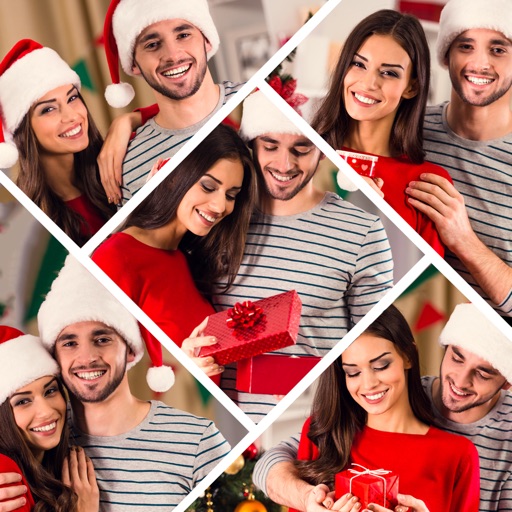
Create collages by adding photos, text, and stickers to pre-designed templates. Customize layouts, adjust colors, and apply filters. Share finished collages via social media or messaging apps.
Create collages with over 1000 layouts and customize with filters, frames, and text. Edit photos using cropping, adjustments, and stickers. Save and share edited images directly.
Edit photos and videos into high-quality drawings, sketches, and illustrations. Apply pencil, charcoal, or technical filters. Enhance videos with advanced filters. Export edited content in various formats.
Create artworks from photos or videos using styles like , sketch, oil painting, and watercolor. Choose textures such as canvas or paper. Adjust tones and apply filters. Share creations directly from the .
Create realistic artwork with pencil, brush, pen, and marker tools. Import images as layers and edit with eraser, ruler, compass, and other tools. Add stickers and use layer management for detailed painting and design.
Create and edit drawings with brush, blur, eraser, fill, pen, pixels, procedural, select, smudge, text, and vector tools. Work with hundreds of layers. Participate in daily drawing challenges, competitions, and collaborative co-ops.
Create detailed artwork with realistic brushes and watercolor effects. Scale canvas up to 64 times with precise grid and pixel-level accuracy. Use over 80 brushes, erasers, smearing tools, rulers, cutters, fill tools, and color pickers.
Turn photos into drawings, cartoons, or sketches with one click. Apply various effects including black strokes, white strokes, pastel, and halftone. Adjust edge strength, opacity, contrast, brightness, and saturation.
Create and edit photos and videos with text, stickers, logos, and elements. Add Arabic and English language support. posts, ads, event invitations, and animated stories. Sync with Apple Health.
Take selfies with real-time beautifying filters. Adjust skin tone and appearance using specialized filters. Swipe to switch between different filter options. Share edited selfies directly.
Take photos with real-time beauty filters and effects. Apply makeup and adjust skin tone instantly. Use photo filters to enhance images. Create collages by combining multiple photos. Edit with blur, whiten, and other tools.
Create comic strips using AI-generated art or manual drawing tools. Choose from various comic styles like anime, manga, webtoon, and pop art. Sketch and convert drawings into high-quality images.
Edit photos and videos into paintings using 31 presets and 12 professional tools. Apply AI-generated effects with machine learning assistance. Adjust colors, brushes, and textures for custom artwork. Export edited media in various formats.