The app helps musicians instantly recognize note names across treble, bass, and alto clefs. It includes training for enharmonics, key signatures, and scale spelling, with features for teachers to track student progress.
by Brian Wis★ 4.117 ratingsEducationFreeData updated 2026-11-14
Practice music with a simulated band that provides real-time accompaniment. Create and save chord charts for favorite songs. Track progress with built-in exercises and feedback. Sync with Apple Health to log practice sessions.
Practice with interactive exercises that improve accuracy, rhythm, and note recognition. Use MIDI instruments, microphone input, or on-screen keyboard for flexible practice. Track progress and refine musical skills through targeted sessions.
Piano with interactive and games. Practice rhythm and ear training exercises. Complete daily challenges to improve skills. Study music theory through structured . Track progress and receive feedback during practice sessions.
Practice identifying Roman numerals for chords shown on music sheets. Build chords from root notes and intervals. Analyze music by determining chord functions and relationships.
Learn and with interactive lessons and visual diagrams. Practice with metronome and tuner tools. Explore music theory concepts and compose original songs. Track progress and set practice goals. Sync with other devices for continued learning.
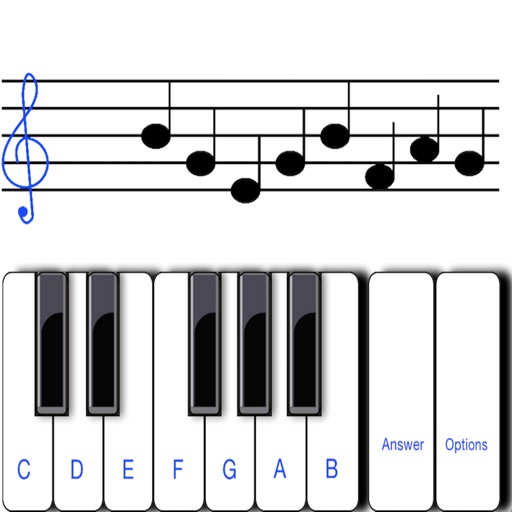
Displays a random note on the musical staff and you identify its letter name. Toggle between treble and bass clef. Choose from three letter notation systems: C D E F G A B, C D E F G A H, or Do Re Mi Fa Sol La Si.
The app provides immediate access to fingerings for woodwind instruments, including alternates and trills. Users can get fingerings from written or concert pitch and utilize key signatures for easier navigation.
Controls effects using camera flash or screen. Adjusts intensity based on volume. Allows customization of frequency settings to focus on bass, treble, or specific ranges.
To notes in G and F clefs. Practice notes above and below the staff across six octaves. Randomly generated notes apply to any instrument. Switch clefs for varied practice. Receive feedback on missed notes. Set pace and limit octaves for beginners.
Control nearby AirPlay speakers, amplifiers, and TVs by grouping, ungrouping, and syncing them. Adjust bass, treble, volume, and use presets for different music genres. Manage and personalize favorite songs and artists.
The app teaches note recognition and sight-reading skills through a musical game. It features an animated character and adjustable difficulty for players of all ages and skill levels.
Learn theory, notes, and fingerings with interactive lessons. Practice rhythms and customize ninja avatars. Track student progress and assign exercises. View alternate fingerings in red. Share results and manage multiple users.
Create and edit sheet with tools. Add lyrics and playback compositions. Export scores in various formats. View and organize sheets for practice or performance. Learn theory through interactive features.
Practice with progressive drills for all seven clefs. Learn sight- through interactive exercises tailored to your instrument. Track progress with detailed feedback and adjust difficulty levels as skills improve.
The app provides step-by-step instruction and review for major and minor key signatures and scales. Users can achieve mastery of recognizing and entering key signatures and scales through interactive tutorials and guided practice.
The app provides over 100 scales with notation and playback, including interval names and diatonic functions. It supports transposition for various instruments and offers options for rhythmic patterns, octaves, and playback direction.
The app helps users learn and practice sheet music reading, covering note names, rhythms, and intervals. It features four sets of flash cards with increasing difficulty and a shuffling algorithm that prioritizes incorrect answers.