Apps Like Background Eraser 〜 Stickers for iPhone and iPad
Edit photos and remove backgrounds
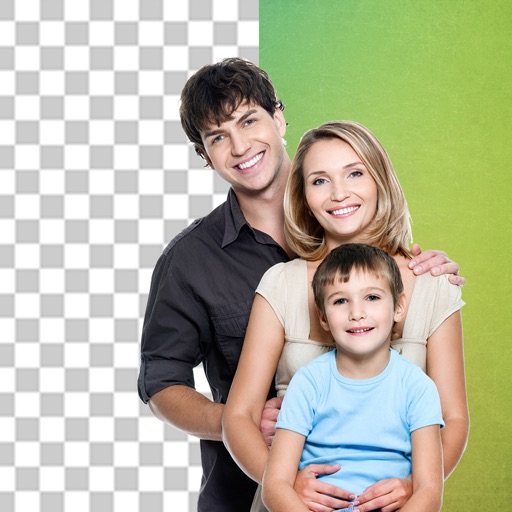
Remove from images using AI-powered auto cutout. Star mode enhances edge detection for precise erasing. Auto mode automatically deletes similar pixels. Export transparent images for use as in other apps.
by handyCloset Inc.★ 4.741,361 ratingsPhoto & VideoFreeData updated 2026-09-09
Liangjie Information Technology (Chengmai) Co., Ltd.
Record front and back footage at once
Capture records front and back footage simultaneously with Dolby Vision HDR support. BuddyShot allows real-time remote control of another phone for focus and exposure adjustments. Video Frame Extraction extracts full-size 4K frames from videos.
Photos by automatically detecting foreground and with a smart selection tool. Refine edges using an on-screen brush for precise adjustments. Choose from over 15 effects to customize the appearance. Export edited images directly.
The app removes unwanted objects like logos, text, or people from photos. It fixes imperfections and repairs images automatically, making them appear as if the objects were never present.
The app creates unlimited collages with a single tap using a SmartSorting algorithm. Users can import photos, select modes, and apply various styles, text, backgrounds, filters, and stickers.
Edit photos with AI-powered removal and precise cutouts. Adjust colors, brightness, and contrast. Crop and resize images. Save and share edited photos directly. Export in various formats.
Edit photos with effect and features. backgrounds and apply black-and-white conversion. Select areas for contrast. Zoom with two-finger pinching. Adjust brush size, opacity, and offset. Export edited images.
The app allows users to change a monochromatic background into any image. It offers tools to manually remove backgrounds without a green screen and includes features like auto-enhance, drawing, stickers, text, and various photo effects.
Edit photos with auto and drawing tools. Apply 20+ effects and unique shapes. Zoom for high-resolution details. Use brush offset to avoid finger interference. Preview and adjust focus areas. Export edited images directly.
Edit photos by removing unwanted background elements. Add romantic and stickers to images. Create collages for Day. Decorate pictures with customizable art tools. Share edited images directly.
Scan and edit document photos with Smart Cropping for precise edge detection. Adjust background to remove shadows and enhance brightness. Export in PDF or JPEG formats. Support for ID and scanning.
Edit photos by removing backgrounds with AI and replacing them with 250+ options. Apply 300+ ready-to-use templates. Add effects and adjust colors. Save and share edited images directly.
Photo allows users to edit images by removing backgrounds. Users can select and isolate subjects. The supports offline processing. No online tracking is involved. Export edited images in various formats.
Create collages with up to 16 images. Rearrange photos and select from 200+ grid layouts. Adjust spacing, padding, and layout ratio. Apply filters to multiple photos or individually.
Resize images to fit various formats like Instagram posts, stories, Facebook covers, or custom ratios. Adjust aspect ratios manually or select preset options. Apply Fit or Fill modes to scale images without cropping or stretching.