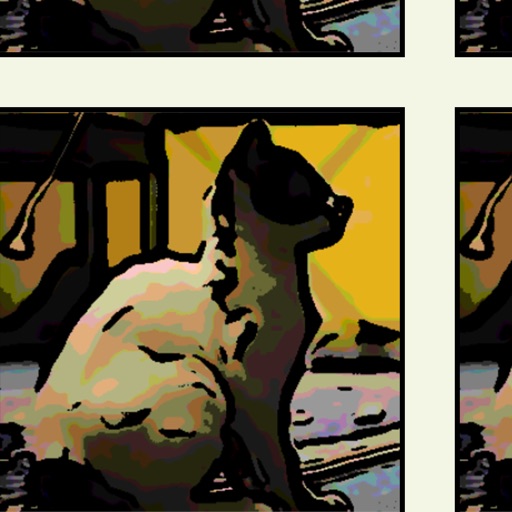
Edit videos to create cartoon-style animations using predefined filters. Apply cartoon effects with varying outline thickness. Adjust frames to enhance the animation appearance. Export and share the final cartoon .
Edit photos and images with advanced tools for retouching, layering, and painting. Create multi-layered art and designs. Adjust colors, contrast, and lighting. Export in various formats and share directly.
Add multiple decorated texts to photos with various fonts and styles. Adjust color, size, and shadow. Add outlines and reposition texts. Save the edited .
Create vector art using Bézier tools and Apple Pencil. Convert sketches or photos to SVG format. logos, icons, illustrations, and UI assets. Export vector files for production use. Refine curves and edit vector drawings directly.
Create artworks from photos or videos using styles like , sketch, oil painting, and watercolor. Choose textures such as canvas or paper. Adjust tones and apply filters. Share creations directly from the .
Create paintings from photos using automatic color blending and detail retention. Adjust color, shades, and detail with built-in controls. Add outlines or artistic finishes for enhanced visuals. Export and share the final artwork.
Create photo collages and video slideshows with customizable layouts, colors, and patterns. Add text, filters, and music. Edit photos with object removal, skin softening, and blur effects. Include stickers, outlines, and background adjustments.
Apply art to photos for creative visuals. Add spiral effects and blur backgrounds. Use emoji art, background art, and outline art to enhance images. Apply AI, cartoon, neon, and mask effects. Create retro, atlantis, and big camera styles.
Edit photos with skin smoothing, teeth whitening, and facial reshaping tools. Remove blemishes and wrinkles. Add makeup, tattoos, and muscles. Apply filters and adjust colors. Save and share edited images directly.
Create photo collages and composite images by combining up to 11 photos in a single layer. Remove unwanted areas with the background eraser tool. Adjust color tones to enhance image appearance. Export edited photos in various formats.
Create and refine artwork with customizable brushes and layers. Sketch, paint, and draw with pressure-sensitive tools. Save and organize projects. Export in various formats. Collaborate in real-time with others.
Remove unwanted people and blemishes from photos or videos by painting and erasing. Edit images with AI tools, add text, filters, and effects. Adjust facial features like face shape, forehead, chin, and cheeks.
FACE & BODY TUNE PHOTO EDITOR, SOCIETATEA CU RASPUNDERE LIMITATA
Edit shape in photos and videos
Edit shape by slimming, resizing, or emphasizing specific areas. Adjust proportions to appear taller or thinner. Apply reshaping tools without advanced editing skills. Save and share edited photos directly.
Add multiple decorated texts to photos with various fonts and styles. Adjust color, size, and font name. Add outlines and shadows. Resize, rotate, and position texts freely. Save edited photos directly.