The app transforms photos into polygonal art with real-time low-poly camera capture. It offers multiple shape and resolution options, edge detection, custom mesh editing, and high-resolution export.
by Daniel Eke★ 4.56 ratingsPhoto & VideoFreeData updated 2026-11-10
The app transforms pictures and videos into works of art. Users can apply a fractal lens to photos, gallery media, or live camera input, controlling the transformation in real-time with gestures.
Restore old, blurry, or damaged photos using AI-based enhancement. Adjust clarity, brightness, and color. Remove blemishes and red eye. Resize and export in various formats. Apply filters and effects. Share restored images directly.
Edit photos and videos with AI-powered tools, apply filters and overlays, and create dynamic videos from images. Share edited content via email or social media platforms like Instagram and Facebook.
Edit photos and images with advanced tools for retouching, layering, and painting. Create multi-layered art and designs. Adjust colors, contrast, and lighting. Export in various formats and share directly.
Edit photos with skin retouching, blemish removal, and dodge & burn tools. Remove stray hairs and edit hair part lines with one click. Reshape facial features and adjust body proportions using 3D bone mapping.
Create and edit artwork using AI-powered image generation. Choose between on-device or cloud processing. Generate high-resolution images up to 2048×2048. Edit and refine digital art directly on iOS devices. Save and share finished projects.
Browse and download high-resolution tailored for various devices. Filter by category or keyword. Upload original content for potential inclusion in the community section. View and save in different resolutions.
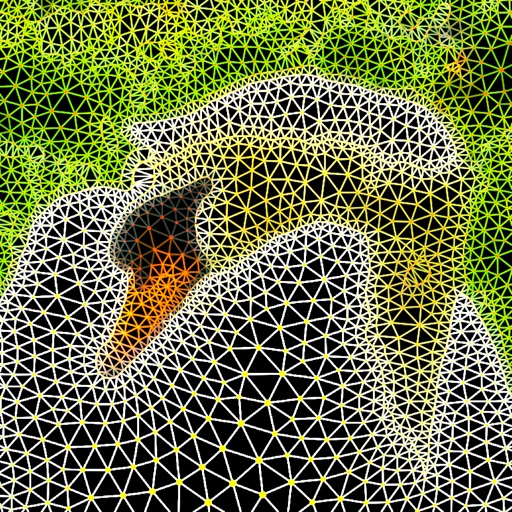
The app generates a triangular mesh from a photo and converts it to a vector image. Users can select from five mesh types and customize patch and node shapes and colors.
Receive daily updated wallpapers with high-quality images. Browse over 100 categories including wallpapers. Download and set as home or lock screen. Search and filter by theme or category. Share wallpapers with social media.
Create art with layer editing, color customization, and drawing tools. Add, delete, and copy layers. Adjust colors and save projects. Requires over 300MB free storage to create new projects.
Edit photos and videos with filters, effects, and frames. Crop, adjust brightness and contrast, and add text. Share edited content directly with friends.
Create 3D artwork using polygon puzzle pieces. Place crafts on low islands. Play online multiplayer to compete. Share low art on Instagram. Adjust colors and shapes to design unique worlds.
Convert low-quality photos to high-resolution images with clarity and detail. Upscale photos to maintain sharpness. Boost resolution for clearer images. Apply denoising to reduce grain and enhance visual quality.
Play fast-paced side-scrolling battles with parry, dodge, and counter mechanics. Customize knight orders with unique abilities and switch between trios during combat. Features hand-crafted art and dynamic tag-team combos.