

Apps Like 3D Draw & Fun for iPhone and iPad
Draw and play in 3D
The app allows users to draw and play in 3D using various shapes, animations, and colors. Physics simulation and effects can be enabled for additional enjoyment, and users can export images and videos of their creations.
3D Draw & Fun screenshots
Ranked alternatives
Showing 561–580 of 1,000 ranked alternatives.
AR.DRAWING Art: Paint & Sketch
TVGSOFT LIMITED
Draw with confidence, with precision
Use augmented reality to draw on any surface. Trace outlines, adjust colors, and add textures. Save and share drawings. Access tutorials for beginners. Export in various formats.
Shoot The Balls
Giedrius Talzunas
Test reaction in a physics game.
The app is a single-tap game with a physics engine. The user taps the screen to target a cannon and fire bullet balls at flying shapes to score points and earn bullets.

Spot the geometric shapes
Sebastian Cochinescu
And earn points
Identify to earn points. Test memory and knowledge of . Track scores and progress over time. Receive instant feedback on answers. Play in a clean, intuitive interface.

LoiLoNote School
LoiLo inc
Organize ideas and express them.
The app helps teachers create personalized learning opportunities. It allows users to organize ideas on cards, connect them with lines, and save various media types.
Math to Touch
Juergen Richter-Gebert
Explore structures and create images
Explore mathematical concepts through interactive animations. Manipulate geometric shapes and patterns to create visual art. Discover relationships between variables and observe transformations in real time. Save and share generated images.

Animal Kingdom Fun
KID BABY TODDLER LTD.
Interactive games for young children.
The app offers interactive coloring and painting games for children. It includes over 120 screens across 7 educational games, featuring animals and their sounds.

Coloring and Paint (full)
Raffaele Amuso
Coloring and Paint for children
The app offers a virtual coloring book with numerous drawings, including letters and numbers for learning. Users can select pre-made pictures or draw freely, with options to change pen color and shape, save creations, and correct mistakes.

The Kids' Picture Show
SCTA Corporation
Learn animals, vehicles, and verbs with videos
Teaches basic language and math concepts through simple videos. Covers animals, vehicles, shapes, colors, numbers, and letters. Promotes reading readiness and literacy. Includes interactive lessons for toddlers to elementary students.


Letters & numbers monsters app
Juf Jannie
Monsters eat by choosing answers.
The app presents four exercises for children to learn letters, numbers, colors, and shapes. Children interact with images to help monsters eat by selecting correct answers.


Shapego - School Edition
Libero Spagnolini
Create word clouds with shapes and fonts
Create word clouds with 20 new shapes and 12 new fonts. Support iPadOS trackpad and mouse input. Use new shape text tool and outline tool. Adjust margins and improve language detection for better results.

123 Kids Fun Alphabet
123 Kids Fun Sp. z o.o.
Teach letters through interactive play
Teaches letters through interactive games and activities. Includes phonics, matching, and memory exercises. Features sound effects and animated characters. Allows children to progress at their own pace.
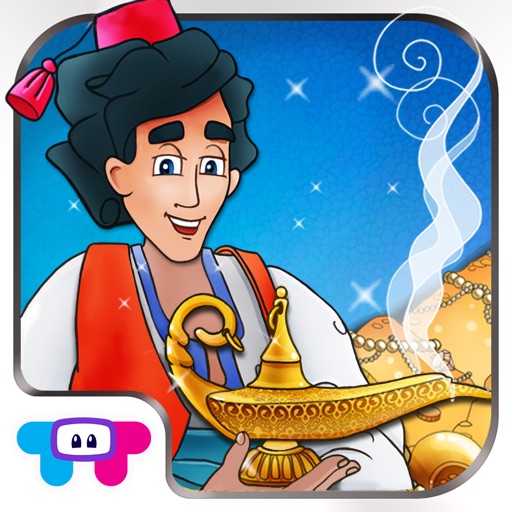
Aladdin & The Magic Lamp
TabTale LTD
Explore stories and play educational games
Explore interactive stories with jigsaw puzzles and matching games. Learn about shapes, counting, and colors through educational activities. Engage in fun, wholesome family interactions with HD graphics and animated characters.

Learn how to Draw 3D
ben massoud hamza
With animated step-by-step guidance
To create anamorphic drawings with animated step-by-step guidance. Follow each step by watching animations and replicating lines. Repeat steps as needed. View drawings from specific angles to see the final image.

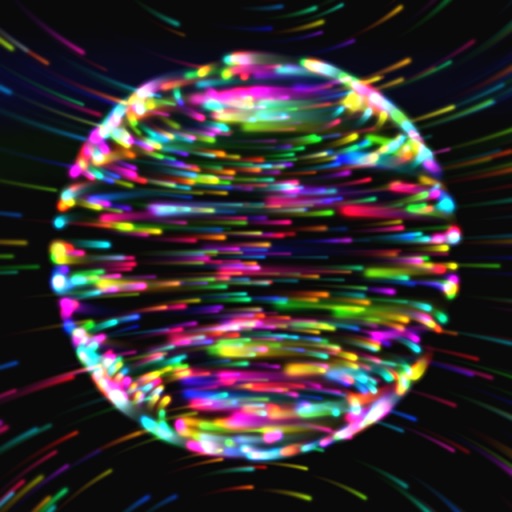
3D Shape Shifter 2 HD
Jeffrey House
Morph particles into 3D shapes
Explore 3D shapes by morphing between a dozen geometric objects. Customize textures, adjust color saturation, and control particle count. Pinch to zoom, rotate shapes, and modify blur settings.
How we rank alternatives
Apps are ranked by functional similarity, category fit, rating confidence, and popularity.