The app allows users to write and draw with a pen that synchronizes with finger movement. Users can adjust the pen's scale, thickness, and color for notes, pictures, and comments on photos or documents.
by HIROAKI TSUKASHIMA★ 0.00 ratingsBusinessFreeData updated 2026-11-07
Create art with a complete toolset including layers, timelines, and advanced coloring. Edit spritesheets, GIFs, and game assets. Use touch or pen for optimized drawing. Render with high-performance Metal technology.
Convert handwritten notes into editable using OCR technology. Scan and convert notes to digital format. Share or edit converted . Search and organize digital notes. Sync across devices.
Read and annotate , Microsoft Office files, images, and web pages. Add text, highlights, stamps, and shape annotations. Share documents directly. Sync with iCloud Drive and OneDrive.
Play a free trial before purchasing. Unlock the full game with one payment and no ads. Explore animated worlds and hand-drawn environments. Solve puzzles and complete challenges. Engage with new characters and watch fully animated cutscenes.
Care for animals from North by feeding, treating illnesses, and tending injuries. Choose from squirrels, raccoons, skunks, wolves, bears, otters, and mustangs. Identify and address each animal's specific needs to prepare them for release or adoption.
Create and send professional invoices with customizable templates. Track payments and due dates. Manage client information and history. Generate reports and export data. Set reminders for upcoming payments. Sync across devices.
On , blank canvas, or images using pen, line, arrow, and shape tools. Edit photos with filters, adjustments, effects, and cropping. Customize tool size and opacity. Add text, stickers, and emotions. Export drawings in various formats.
Create art with layer editing, color customization, and drawing tools. Add, delete, and copy layers. Adjust colors and save projects. Requires over 300MB free storage to create new projects.
Create custom avatars and choose from multiple game modes including drawing, guessing, and playing with friends. Participate in daily challenges to compete globally and earn coins by guessing others' drawings.
Pages allow users to select and customize images. Users can choose from various animals and colors. Features include saving progress, sharing completed artwork, and accessing a library of printable pages.
Write letters, practice strokes, improve structure
Practice to improve handwriting through structured letter formation and proportions. Write larger letters for accurate curves and lines. Track progress with practice sessions and receive feedback on letter quality.
Send messages, doodles, and drawings directly to friends’ widgets. Share sketches, notes, photos, and group messages on their home screens. Customize pen styles, colors, and thicknesses. Add backgrounds, text, and save drafts for later editing.
Play a free game with simple controls to help a complete challenges and escape obstacles. Collect pens to unlock new stickmen. Features -style graphics, multiple characters, and goal-based gameplay.
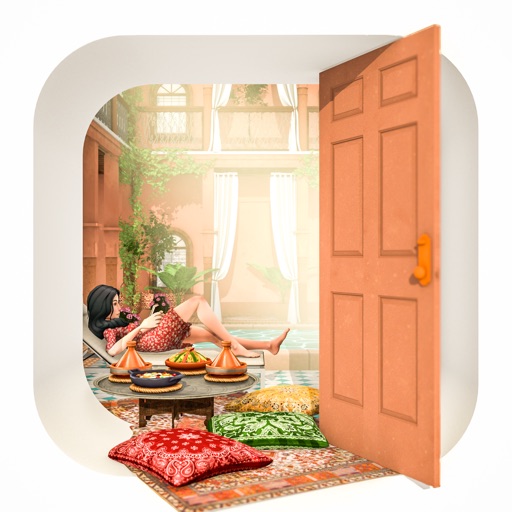
Solve room puzzles in a Moroccan mansion. Search for hidden clues and items. Use swipe gestures to take notes. Access hints when needed. Auto-save progress. Play with intuitive controls.
Explore a nostalgic version of with historical buildings. Solve mysteries by searching and changing viewpoints. Use swipe gestures to take notes. Play with adorable characters and receive hints. Auto-save progress and avoid using paper and pen.
Solve room puzzles by interacting with objects and solving riddles. Explore a serene garden environment with animated flora and sculptures. Access hints during gameplay. Auto-save progress. Swipe to navigate and manipulate items.