Apps Like IFR Trainer Flight Instruments for iPhone and iPad
Practice instrument flying with interactive modules
Learn instrument flying with interactive modules for ADF/RMI, VOR/ILS, HSI, and IFR procedures. Practice holding patterns and entries through animations and exercises. Use a built-in IFR simulator for training.
by Flygo-Aviation Ltd★ 4.5952 ratingsEducationFreeData updated 2026-09-09
Track time and night hours for airline, student, and private pilots. Log IFR, VFR, and night flights in compliance with EASA and FAA regulations. Import history from previous logbooks. Store logs in FAA and EASA approved formats.
Calculate -related conversions, fuel consumption, and navigation metrics. Perform arithmetic operations and unit conversions. Track time, distance, and speed. Sync with Apple Watch for real-time updates.
Practice rhythms by setting custom tempos and combining instruments like clave, piano, congas, and timbal. Create and mix loops for personalized practice. Use as a metronome to refine groove.
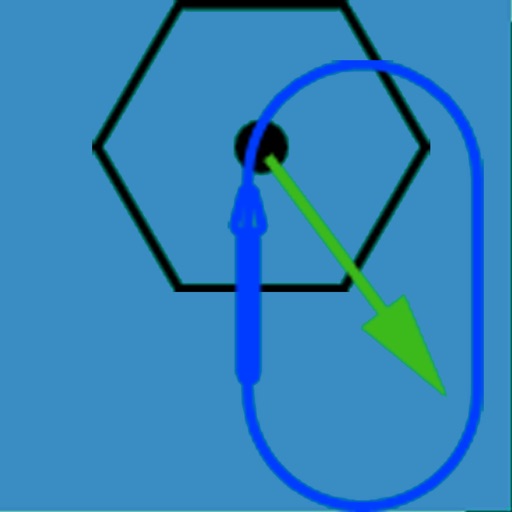
The app visually represents an aircraft and a holding pattern relative to a navigation aid. Users can learn to determine their position using ADF, VOR, and heading information, and identify correct entry patterns for standard and non-standard holds.
Prepare for FAA exams with up-to-date questions and illustrated explanations. Track progress with built-in quizzes and review sessions. Sync with FAA ACS standards and receive free updates.
Practice rhythmic exercises with metronome support to improve timing and sight reading. Repeat custom rhythms, test skill levels, and track progress. Sync with a teacher or practice independently for structured training sessions.
The app provides practice for instrument flying skills. It includes exercises for VOR intercepts, holding entries, angle of lead calculations, and wind correction angle visualizations.
Switch gauges, scroll frequencies, touch to control
Access and customize flight simulator gauges with multiple layout options. Switch between instrument panels for precise control. Use multi-touch for frequency adjustments or knob-like scrolling.
Download and complete flight training lessons from courses. Study lesson content, take quizzes, and track progress. Sync learning across devices and access materials offline.
Simulate aircraft instrumentation with real-time data display and customizable settings. View altitude, speed, and heading. Connect via Wi-Fi to compatible MFD apps for additional navigation data.
The app provides aviation definitions and abbreviations based on the Airline Transport Pilot License syllabus. It offers iCloud sync for purchases across devices.
Practice air traffic control communication with AI pilots that respond to commands and provide real-time feedback. Learn and repeat standard phraseology through interactive scenarios.
The app provides instrument training for general aviation pilots. Users can manipulate map elements and observe instrument responses in Learn mode, or determine aircraft location based on instruments in Test mode.
Track details including arrival and departure, aircraft type, takeoff and landing times, landing count, pilot in command, IFR status, and night flights. Add notes and remarks. Sync entries across devices. Unlock full features with a Pro in- purchase.
The app provides HD in-flight video demonstrating how to fly LNAV approaches using the Garmin 430/530. It focuses on real-life IFR procedures without unnecessary content.