Apps Like Photo Frames - Virtual Glam Up for iPhone and iPad
Integrate pictures with chosen frames.
The app allows users to enhance photos with frames, effects, and text. Users can capture new photos or select existing ones from their gallery to integrate with chosen frames.
by Jyoti Yadav★ 1.01 ratingsPhoto & VideoFreeData updated 2026-11-06
Edit photos with filters, cropping, and adjustments. Change backgrounds and add stickers. Create collages and customize . Design Facebook and Instagram posts and stories. Export edited images in multiple formats.
Edit photos with blending tools to create double exposure effects. Add frames, quotes, and background elements. Apply single-layer filters. Export edited images without ads. two images with one touch.
Create collages by combining multiple photos from the gallery. Choose from various frames and themes. Apply filters to enhance images. Share collages directly to social media platforms. Edit individual photos with cropping and adjustment tools.
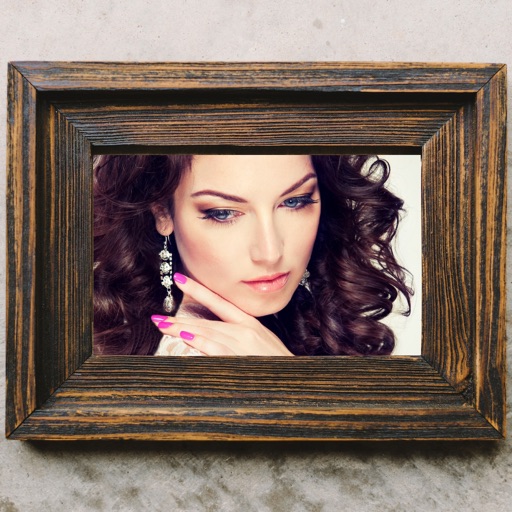
Edit photos by applying various frames and effects. Select images from the gallery or capture new photos. Access multiple stylish frames and decorative options. Save and share edited photos directly.
Edit photos with filters, effects, and adjustments. Add text with multiple fonts, colors, and effects. Overlay text or add captions and 3D text. Include stickers, artwork, and frames. Create collages and personalize cards with photos.
Apply New to photos and share them with friends. Create and share New stories. Set New wallpapers as background images. Decorate trees with holiday balls and lights.
The app allows users to add text captions to photos and share them. Users can select from 78 custom fonts and 41 layer effects, including banners, thought bubbles, frames, and emojis, to enhance their captions.
Blur image backgrounds to create effects. Select photos from gallery or capture new images. Apply multiple blurring tools to adjust blur intensity. Export edited photos to device storage.
Edit photos and videos with advanced auto enhance tools, double exposure, and 425 special light effects. Apply filters, add stickers, typography, and vignettes.
Select and apply unique to images. Choose photos from gallery or camera. Rotate and scale as needed. Save, share, or set photos in gallery. Display all saved photos in a list.
Edit photos with filters, effects, and frames. Adjust brightness, contrast, and balance. Crop, rotate, and straighten images. Add text, stickers, and drawings. Paint on photos or blank paper. Apply splash and tilt shift effects.
Create photo collages using over 200 frames. Select from photo frames or frames in the main menu. Edit photos with cropping, filters, and text. Combine multiple images into a collage. Record and edit videos. Add text and stickers to videos.
Create reflection for photos with left-right, up-down, and repeating options. Apply cool filters and artistic frames. Edit images to generate twins and typography .
Edit photos with holiday-themed and templates. Create personalized greeting cards for special occasions. Choose from multiple categories including Christmas and New Year. Add text and decorative elements to images.
Edit photos by applying multiple effects and choosing from various stylish frames. Adjust image position, size, and angle finger gestures. Save and share modified photos directly.
Edit photos with romantic frames and backgrounds. Add text and stickers. Adjust brightness and contrast. Crop images and apply filters. Share edited photos directly.
The app offers tools for photo editing, including frames, layouts, and effects. Users can adjust color balance, brightness, contrast, and saturation, and apply sharpening or blurring.