Connect with others through secure calls and real-time translation. in multiple languages with rich message options. Discover new friends based on shared interests and activity.
Capture photos and videos with a Glitter effect for enhanced visual appeal. Edit media from the gallery. Create kirakiragraphs from still images. Swipe left or right to navigate.
SecureChat allows users to have end-to-end encrypted one-on-one conversations and video/audio calls. Group chats can be password-protected. Users can add friends via phone book sync or QR code scan. Phone contacts are not stored on servers.
Hide photos and videos using a secure . Backup and sync files with iCloud. Protect data with strong encryption. Access files from multiple devices. Remove photos permanently from the .
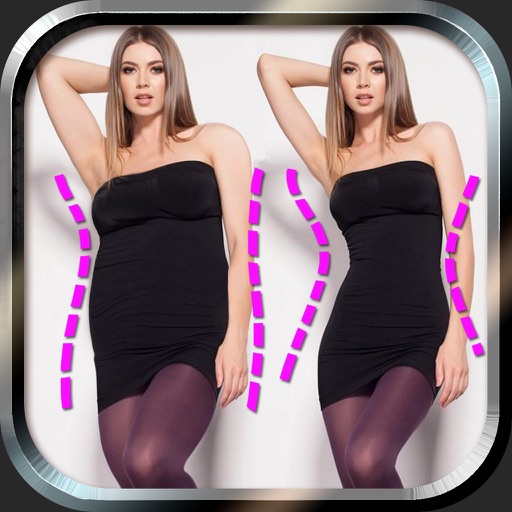
Edit photos to and body using auto-detection. Adjust and body thickness with sliders. manual edits and undo changes. Compare original and edited images. Save results to albums and share via email or social media.
Scan and digitize old photos, slides, and negatives using AI-powered image enhancement. Convert physical media into a digital library. Share scans with others. Access advanced editing tools and organize photos by date or event.
Chat with others through text, voice messages, and video calls in private or group chats. Join hundreds of forums and chat rooms. Search for by location, age, gender, and sexual preference. Watch or start live streams and earn real money.
Create and share interactive stories, podcasts, and activities. Send messages with stickers, face filters, and mini games. Connect with approved contacts. View and manage profiles. Track screen time and set usage limits.
Secure photos and videos with encryption and password protection. Set access restrictions and enable remote wiping. Control who can view or edit media. Prevent unauthorized AI usage of content. Manage storage and backup options.
Create a daily journal by adding photos and notes. Organize entries into themed collections. Share journals via social media or email. Sync across devices and access offline. Edit photos with basic tools and add captions.
Hide photos, videos, and Live Photos with customizable album covers. Set fake password mode for restricted access. Enable emergency switch to lock the by placing the phone face down. Detect break-in attempts with privacy alerts.
GLOBAL SOFTWARE DEVELOPMENT AND TECHNOLOGY SUPPORT Limited
Connect with others via voice and video
Make free voice and video calls over 2G, 3G, 4G, 5G, or Wi-Fi. Send encrypted messages, photos, videos, and voice clips. Create group chats with contacts. Share files and participate in group calls. Encrypt communications for privacy.
Download videos from websites in HD quality including 720p and 1080p. Save videos from Google Drive and Dropbox. videos to MP3 or MP4 formats. Trim videos and manage favorite media in a private library.
Transfer photos and videos via between devices. Backup files to iOS, iPad, or computer. Share files directly without cables. Support two-way file movement between mobile devices.
Send and receive messages with end-to-end encryption. Make voice and video calls. Share files securely. Use a unique Threema ID instead of phone number or email. No data trails are stored. Set expiration dates for messages.