Scan documents with high-resolution imaging to preserve paper details. Fax, email, or export scans as JPEG or PDF. Save files to Dropbox, Evernote, SugarSync, and other cloud services. Adjust color for improved clarity.
by Dhara DilipKumar★ 4.6368 ratingsProductivityFreeData updated 2026-09-09
Documents into clear images for email, fax, print, or cloud storage. Crop and enhance scanned content automatically. Share files as PNG via email or social media. Print directly to nearby printers using AirPrint.
Documents using the camera or PDF import. Edit scans with crop, rotate, and brightness tools. Share files via email, cloud services, or messaging. Securely store and organize scans in a private library.
Digitize and manage documents with advanced scanning tools. Convert papers to PDF, edit text, add annotations, and organize files. Share documents securely and access them across devices.
Translate and edit PDFs, images, , Excel, and PowerPoint files. Merge multilingual documents into a single language. Choose between Google and Microsoft translation engines. Preserve formatting during translation.
Scan documents and convert to PDF or image formats. Edit text, add annotations, and adjust layout. Organize files into folders and share via email or cloud services. Collaborate with others by adding comments and tracking changes.
Scan documents to create PDFs or image files. Save scanned documents to your device. Edit and modify scanned files directly. Share files via email or messaging. Organize and manage digital documents efficiently.
Manage and organize PDF documents by editing, signing, and . Convert PDFs to voice files, compress documents, and access advanced features with a subscription. Share and annotate PDFs directly within the .
Convert documents and images between supported formats. Select files from device storage or photo library. Choose target format from list including PDF, DOC, JPEG, PNG, and more. Preview converted files before saving.
Scan documents, receipts, checks, and agreements into clean PDFs. Add signatures and annotations. Share files via email or cloud services. Organize and store scanned documents digitally.
Digitize hard copies and convert to PDF files. documents with multiple modes. Merge, rearrange, and annotate PDFs. Add signatures and extract text using OCR. Connect to Google Drive and Dropbox. Search text within PDF files.
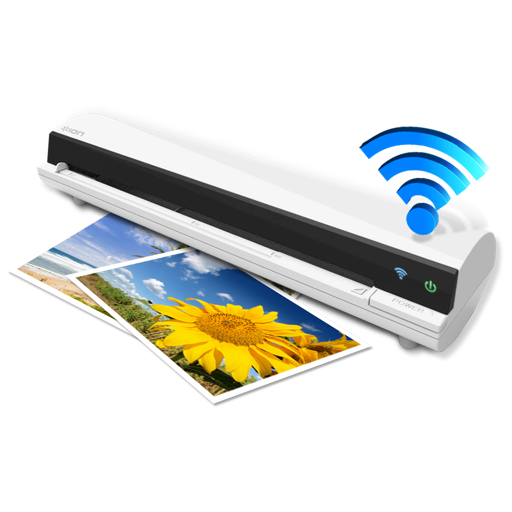
The app works with the ION Air Copy hardware, a portable Wi-Fi scanner. It scans photos, receipts, business cards, notes, and documents up to US Legal size directly to a Mac, then shares them via email or social networking.
Edit and manage PDFs with OCR, fill and sign forms, merge and split documents, add annotations and watermarks. Password protect files and chat within PDFs. No accounts, ads, or subscriptions. Fully offline and secure.
Convert documents to PDF by scanning with the iPhone camera. Automatically detect and crop document edges. Save as PDF or image formats. Share scans directly via email or messaging.