The app allows users to create finger paintings with adjustable opacity and brush sizes. Users can mix custom colors, utilize a palette of 10 colors, and an eraser.
by Mariah Cox★ 5.07 ratingsEntertainmentFreeData updated 2026-11-03
The app allows users to virtually paint walls on a photo using their finger. Users can explore different color options for interiors before actual painting and share their creations.
Create animations with drawing tools, color options, and frame management. Import images or draw directly. Export and share animations on Cineverse. View progress and refine frames for detailed editing.
Turn photos into drawings, cartoons, or sketches with one click. Apply various effects including black strokes, white strokes, pastel, and halftone. Adjust edge strength, opacity, contrast, brightness, and saturation.
Mix colors using virtual tools for watercolor, oil, and acrylic painting. Generate recipes from photos or camera images. Calculate exact proportions of primary colors needed to achieve desired hues.
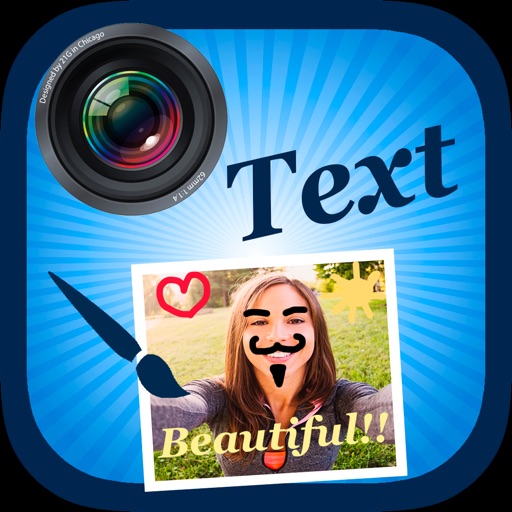
Edit by selecting from the gallery or taking a new photo. Adjust images to a square format. Add text with customizable fonts, colors, and borders. Move, rotate, and scale text. on with finger input.
The app allows users to add text overlays, captions, and subtitles to videos. It offers over 190 fonts, music, stickers, and editing tools for content creation.
Create digital artwork with customizable brushes and adjust texture, shape, and paper quality. Import and export images in various formats. Access unlimited brushes and tools for free for 30 hours monthly.
Color by number game allows users to select and fill numbered sections with colors. Complete puzzles by matching numbers to colors. Choose from various themed images. Save progress and share completed artwork.
Edit photos by drawing on them with adjustable brush sizes and color choices. Use an erase tool and undo/redo functions for precision. Save edited images for later changes or share them directly on social networks.
View original artwork and new images weekly featuring themes like fairies, cats, and mandalas. Apply anti-stress colors and filters to customize pictures. Share creations on Instagram or Facebook. Explore simple and complex visuals to match mood.
And paint with a variety of tools including pens, lines, arrows, rectangles, ellipses, and text. Apply effects, adjust colors, and use filters. Crop, enhance, and add stickers to artwork.
The app converts photos into comic book drawings with thick outlines and bold colors. Users can choose from five comic styles and add custom messages to speech bubbles.
The app allows users to create unlimited notes and reminders with a unique design. Users can personalize notes with multiple colors, sizes, and fonts, and sync them across devices via iCloud.
The app provides slow shutter control and a full set of effects and filters. It includes capture modes, adjustable shutter speed, a self-timer, and freeze and contrast controls.
Create paintings using single strokes in sizes from tiny to large. Choose from normal colors, continuous color change for each stroke, or simultaneous color change.