Allows users to practice ear by playing back pitches on their instrument. The uses pitch recognition to identify notes and provides feedback. Users can select different instruments and practice identifying and replicating musical notes.
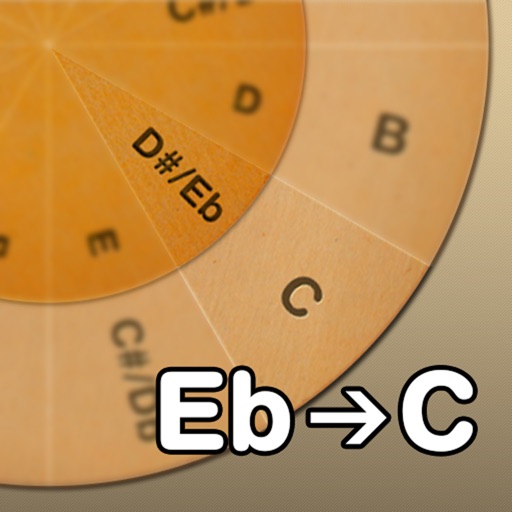
Adjust musical keys by rotating wheels to match original and target keys. Transpose chords for guitar players using capo positions. Modify song pitch to suit vocal range or instrument tuning.
Learn guitar with structured courses covering theory, playing techniques, and singing. Access extensive sheet music in six-line format. Use AI-generated accompaniment for practice. Track progress and receive performance feedback.
Track celestial events with detailed transit charts. View dates and times for moon phases, including new moon, full moon, and quarter phases. Monitor perigee dates and moon distances to identify supermoons.
Offers a professional with multiple views and high precision. Access guitar lessons, gear reviews, and theory via YouTube integration. Use a flexible and drum machine for practice. Find interactive chords and scales with visual guidance.
The app plays audio and video, allowing users to change tempo and pitch. It detects notes and chords, serving as a practice tool for musicians and a transcription aid.
View chords in augmented reality on a piano. See finger placements for over 130 chords. Play chords by touching the piano keys. Adjust settings and save custom configurations.
Learn chords and scales through interactive 3D lessons. View real-time finger placement and arm movements. Practice with built-in metronome and play along with backing tracks. Track progress and adjust lesson difficulty. Share performance recordings.
Read and manage from PDF, image, text, and MIDI files. Import scores via camera, photos, or files. Organize by title, artist, and setlist. View scores in horizontal, vertical, or two-page modes. Annotate with pen, text, shapes, and stamps.
Learn and relative through interactive exercises. Identify double-stop notes using just intonation. Practice chord recognition and matching. Track progress with in- feedback and repetition. Sync with music libraries for real-time comparison.
For verses, choruses, and other sections. Record audio for each part separately. Use the Chord Picker to add chords. View chords above in display mode. Add guitar tablature and access over 1000 chord diagrams.
Practice ear training by identifying intervals, chords, and scales. Listen to audio examples and select the correct answer. Track progress with detailed reports. Sync lessons across devices and receive instant feedback on accuracy.
Learn music theory with a visual . Explore relationships between major, minor, and diminished keys. View key signatures and triads. Play or mute chords and arpeggios. Lock the for reference.
Catalog and organize chord charts and lyrics. Import from online sources or create new charts. Sync across devices via iCloud. Build and share setlists. Transpose, capo, or rewrite chords. Use with metronome, autoscroll, and chord buttons.
Stream music with minimal buffering and fast track switching. Set a sleep timer to stop playback at a specified time. Save or delete songs to favorites in one step. Access play stations instantly.