Create social media graphics using pre-designed templates. Choose from layouts for collages, banners, invitations, business graphics, posters, quotes, and profile photos. Customize designs with text, images, and color adjustments.
Create custom receipts and labels with text, images, and horizontal lines. Design layouts and print directly to printers. Manage multiple connections and preview print jobs before sending.
Mark PDFs with highlights, underlines, and strikethroughs. Customize colors for annotations. Add text, shapes, and notes. Export edited files in PDF format. Share documents directly or save to cloud storage.
Shanghai Zongchong Information Technology Co., Ltd
Scan and export high-resolution PDFs
Converts photos of documents into high-resolution PDFs using AI-enhanced scanning. Automatically sharpens text and lines, even in low light or with shadows. Export as PDF or image formats. Share scanned documents directly.
Securely store with PIN or biometric lock. Prevent theft by capturing face images on failed attempts. Convert images to text using OCR for saving documents. Sync across devices via account.
Create patterns from photos or manually. Adjust pattern size and complexity. Track progress on patterns. Export patterns as PDFs for printing or sharing. No subscriptions or in- purchases.
The app offers a complete diagramming toolkit with exclusive, original shapes. It includes smart connectors, rich text formatting, and multiple export options.
The app connects to Mac computers from iPad, iPhone, and iPod Touch. It supports Retina display and offers features like a trackpad, virtual mouse buttons, and a functional keyboard with shortcuts.
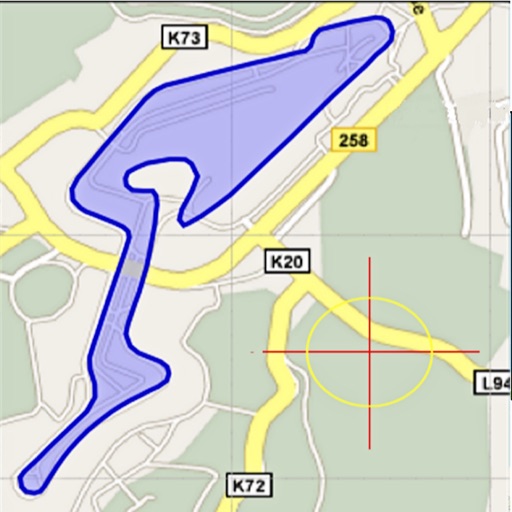
Area, lengths, and angles on maps using an interactive crosshair. Trace outlines to create connected points, updating area and perimeter in real time. Adjust radius for scaling features. View dynamic length and angle as you move the crosshair.