Create 3D photos from 2D images using built-in tools. Apply photo masks to isolate subjects. Combine multiple photos to form composite images. Share edited photos directly. Adjust lighting and colors for enhanced visuals.
by Guangzhou Beauty Information Technology Co.,Ltd.★ 4.9159 ratingsPhoto & VideoFreeData updated 2026-09-09
SOLDD E-TICARET BILGI VE DANISMANLIK INSAAT OTOMOTIV ANONIM SIRKETI
Edit photos with AI-powered tools
AI Portrait Perfection: Generate realistic portraits from photos with advanced AI. Edit skin tones, remove blemishes, and enhance details. Adjust lighting and shadows for natural results. Export edited images in high resolution.
Convert photos to cartoon-style art with automated processing. Upload images, apply trending effects, and download results. Save creations to a gallery and share on social media. Edit and refine artwork with adjustable settings.
Use AI-powered makeup and filters tailored to face shape and skin tone. Apply stylish stickers and templates to customize photos. Edit images with retouch tools and share directly.
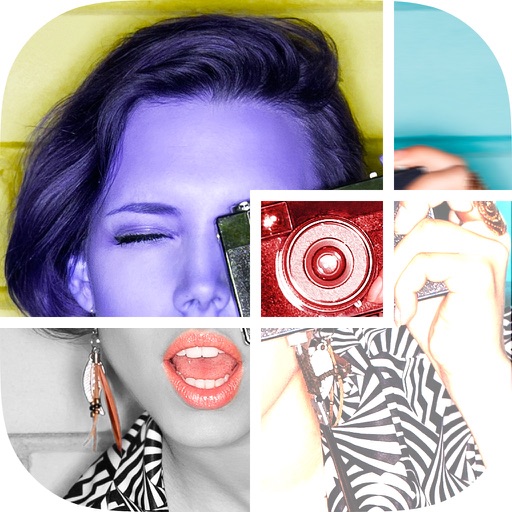
Create collages by arranging and combining photos. Add text, stickers, and borders. Adjust colors and brightness. Save and share collages directly. Import images from gallery or camera. Apply filters and effects.
Edit photos with , , and collage tools. Create montages and custom collages. Adjust brightness, contrast, and saturation. Add text and stickers. Share edited images directly.
Create, edit, and upload photos with automatic cropping, background change, and lighting correction. Save images or send to print directly. Import photos from camera or gallery. Support multiple file formats.
Apply and to photos and portraits. Edit images with customizable adjustments. Share edited content directly to social media. Create consistent styles with one-click preset applications.
Edit photos and videos with AI-powered tools, apply cinematic and anime styles, and use prompts to generate creative effects. Adjust colors, crop, and add text. Share edited content directly.
Create videos from multiple selected frames with customization options. Edit photos by zooming, rotating, and dragging within frames. Combine multiple frames into a single large .
Edit photos with filters, frames, and collage templates. Add effects and select from various photo types. Create collages by choosing images and applying pre-designed layouts. Export and share the final edited photo.
Edit photos with , art, and vintage filters. Adjust contrast, saturation, and temperature. Add scratches and speckles for a nostalgic effect. Export and share edited images directly.
Convert photos into painting styles using over 50 filters inspired by famous artworks. Generate custom filters with AI based on user-provided images. Apply effects like vibrant colors and delicate textures.
Create stereo 3D images by capturing or selecting two photos. Adjust depth using orange arrow buttons and shift function. Choose from multiple 3D display modes including color, gray, and side-by-side.
Create grids using customizable layout templates. Add multiple photos to form story-style collages. Edit and arrange images within the grid. Share finished collages directly to social media.
BOSFOR REKLAM BILISIM PAZARLAMA VE DANISMANLIK LIMITED SIRKETI
Turn photos into art
Convert photos into avatars using AI. Upload a selfie or portrait to generate -style or cute toon art. Apply filters and adjust styles. Save and share edited images directly.
The app allows users to apply galaxy effects to photos, creating unique pictures quickly. Users can adjust the photo effect opacity and share their creations to social media platforms.
Share photos, create clocks, interact with collages
Create interactive clock collages by combining 2 to 12 photos. Highlight and zoom individual images within the clock face. Share collages with friends through social media or messaging. Edit photos before adding them to a collage.