The app allows users to adjust image sizes for various formats including JPEG, PNG, GIF, and SVG. Users can select preset sizes or input custom dimensions to the nearest pixel, with options for proportional resizing and quality control.
by Geekme GmbH★ 1.01 ratingsPhoto & VideoFreeData updated 2026-10-31
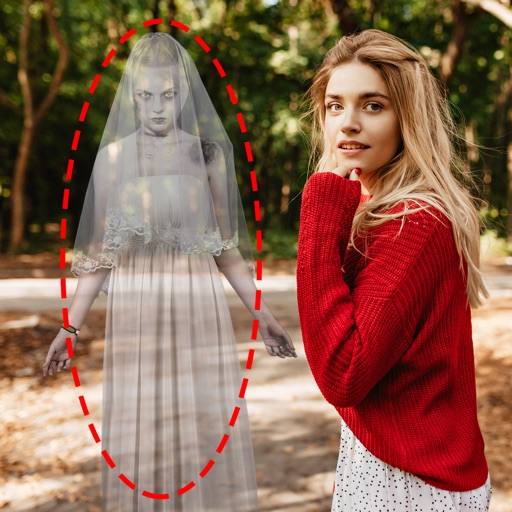
Edit photos by adding ghosts, monsters, or zombies from 62 options. Adjust transparency, color, saturation, brightness, and contrast for each creature. Position and resize creatures freely. Share finished photos with friends.
The app reduces the size of photos and videos for faster sharing. Users can import media, resize it, and export it to various platforms or save it to their device.
Convert images to vector files with AI-enhanced tracing. Import JPEG, PNG, or WEBP and export as SVG or high-resolution PNG. Edit SVG files manually for precise adjustments.
Edit photos with 3D and color effects to create立体 art. Apply special effects to enhance images. Save and share edited photos directly. Use fun and intuitive editing tools for creative customization.
Convert photos between JPG, PNG, HEIC, and PDF formats without quality loss. Select and add multiple images from various sources. Adjust compression settings and save or share converted files.
Scan documents, notes, photos, receipts, and books into PDF or JPEG files. Use OCR to convert images into text. Export scanned files and share them directly. Batch scan multiple items at once.
Compress photos to reduce file size before sharing. Adjust resolution and dimensions. Maintain minimal image quality loss. Export compressed photos for email or social media.
Edit images with 75 standard and 285 custom blend . Adjust luminosity, contrast, and color. Apply 49 effects including spot, hue, and pixelate. Use blur, focus, and crop tools for precise refinement. Export edited images in various formats.
The app displays a user's photos in a randomized screensaver-like format. Users can reminisce about memories with configurable options for image display and appearance.
Convert images between formats including , PNG, PDF, GIF, and HEIC. Compress file sizes to reduce weight. Save and share converted files directly. Adjust quality and resolution settings.
Edit photos by applying and effects. Select images from the gallery or camera. Adjust frame position, size, and angle. Choose from multiple stylish frame options and effects.
Turn photos into retro video game-style images. Select pixel shapes, sizes, and color schemes. Adjust colors and flatten palettes. Pinch to resize pixels or double-tap to switch color modes.