Customize home screen with themes, , wallpapers, and . Download and install themes, , and . Create custom by selecting background, image, size, color, and transparency. Adjust layout and organize apps.
Create home screen icons and themes. Adjust icons, backgrounds, and layouts. Apply new themes with simple taps. Customize layouts and styles to match personal preferences.
Manage frequently used apps and shortcuts with customizable on home and lock screens. Add transparent , personalize icons, and set custom time and date formats. Launch apps, websites, and shortcuts directly from .
Create and edit images with AI-generated art, logos, and tattoos. nime or art from text descriptions. Restyle photos using cartoon editors or AI headshot tools. Design logos and characters with specialized tools.
Create professional logos using AI-generated designs based on brand descriptions or style choices. Customize fonts, colors, icons, and layouts. Export in HD PNG, SVG, PDF, or EPS. Build a brand kit for merchandise and social media.
Create GIFs from videos with editing tools. Add stickers and emojis for customization. Export in various formats for sharing on social media and messaging apps. Share directly to platforms like Facebook, Instagram, Twitter, and Messenger.
View and edit JSON files with a table or syntax-highlighted text view. Switch between files or objects using tabs. Compare JSON documents in split views. Open files via Share Sheet or URL schemes. Use Siri Shortcuts for quick access.
Create custom icons using SF Symbols, Font Awesome, and other icon sets. Choose from over 16 million color patterns. Save icons to iCloud. Search icons quickly. Use keyboard input for emojis and letters. Export icons as images.
Create logos and brand kits using AI. Enter a business name and description. Choose design styles and colors. Generate suggestions. Download and share logos in multiple formats.
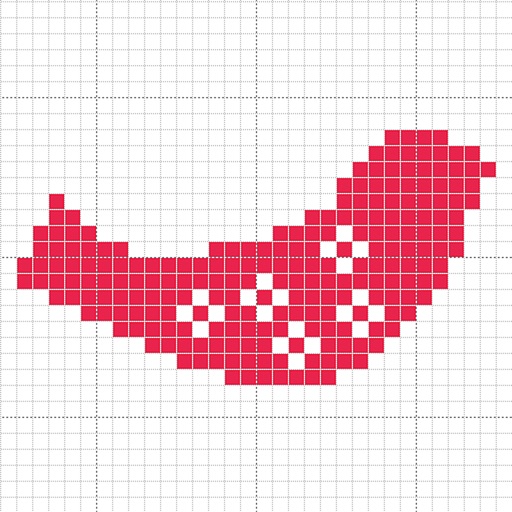
Create custom charts for crafts like cross stitch, bead weaving, knitting, and pixel art. Draw dotted images and design patterns with an intuitive touch interface. Export charts for use in projects.
Stay up-to-date with iOS, iPadOS, watchOS, and tvOS betas and releases. Check Xcode release notes, macOS requirements, and included SDKs. Receive notifications for new versions and beta updates.
Customize device with adjustable colors and styles. Choose from curated designs for iPhone. Apply via in- instructions. Icons are custom shortcuts, not actual icons. Subscribe for weekly or monthly plans.
Customize iPhone appearance with still and live wallpapers from categories like nature, anime, and glitter. Choose from exclusive designs and ensure high-quality display. Replace lock screen with new customizable options.