
BetterAppIcons
Create icons with SF Symbols and colors
ChakMing Wong
iPhone Screenshots



Description
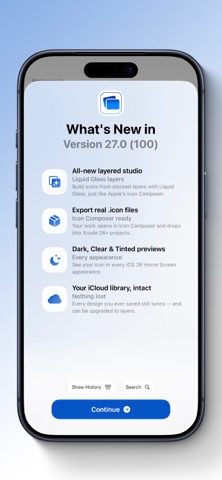
Create custom icons using SF Symbols, Font Awesome, and other icon sets. Choose from over 16 million color patterns. Save icons to iCloud. Search icons quickly. Use keyboard input for emojis and letters. Export icons as images.
BetterAppIcons can help you make icons easily.
This app is made with SwiftUI, CoreData, and CloudKit.
Features:
- Support SF Symbols, Font Awesome, Line Awesome, Fluent Symbols, Taber Icon, IconHub, CSSGG;
- Over 16 Million Color Patterns;
- Support iCloud Storage;
- Quick Icon Search;
- Support Keyboard (Over 3000+ Emoji / 26x2 Alphabets);
- Support Image;
- Matching Theme System (MTS)
-- Screenshot your home screen wallpaper, auto-crop, and export it as an image.
--- Available on iPhone 13 Pro Max, 13 Pro, 13 , 13 Mini, 12 Pro Max, 12 Pro, 12, 12 Mini, SE 2, 11 Pro Max, 11 Pro, 11, Xs Max, Xs, Xr, X, 8+, 8, 7+, 7, 6s+, 6s.
- Export design to Apple Watch Faces;
- Shortcuts App Compatible.
Tutorial:
1. You can use the icons in ShortCuts App. Tap "Save Image" and open the ShortCuts App. (Video guide included in-app)
2. Export to Apple Watch is easy. Tap "Share" and "Create Watch Faces."
Third-Party Icons Licenses belongs to:
- Font Awesome
- Line Awesome
- Microsoft
- IconHub
- TablerIcon
- CSSGG
If you meet an error or bug, please contact support:
Email - [email protected].