Remote camera control allows users to take photos and videos from a distance. Adjust focus, zoom, and flash settings. Set timer for 3 or 5 seconds. Switch between front and rear cameras. View captured media instantly.
The app allows users to record horizontal videos and photos regardless of how the device is held. It uses the device's gyroscope to auto-level footage, correcting the orientation to stay parallel to the ground.
Capture photos with geotagging, date-time, and location data including latitude, longitude, altitude, weather, and compass. Add timestamp watermarks to real-time photos. Share geotagged images with others.
The app allows users to create document photos for passports and identity cards. It offers image editing tools, size adjustments, and multiple output options for printing.
On , blank canvas, or images using pen, line, arrow, and shape tools. Edit photos with filters, adjustments, effects, and cropping. Customize tool size and opacity. Add text, stickers, and emotions. Export drawings in various formats.
Photos by selecting an image from the library or taking a new one. Add text with customizable fonts, colors, sizes, and borders. Position text on the and share the labeled image.
Create, edit, and upload photos with automatic cropping, background change, and lighting correction. Save images or send to print directly. Import photos from camera or gallery. Support multiple file formats.
Capture photos and videos with real-time sparkling lens flares. Choose from star, snow, flower, and tree shapes. Add or remove glitter objects manually in photos and videos. Adjust sparkles in the photo album.
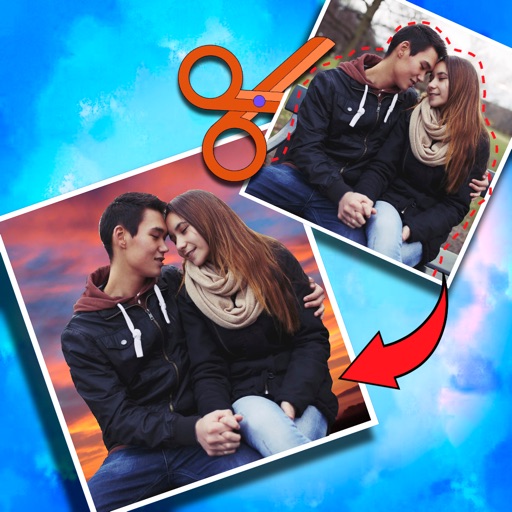
Crop photos and save individual cropped sections for later use. Combine cropped images with backgrounds or other photos to create new compositions. Apply filters to enhance the visual appearance of edited images.
The app creates unlimited collages with a single tap using a SmartSorting algorithm. Users can import photos, select modes, and apply various styles, text, backgrounds, filters, and stickers.
Capture photos with filters to enhance appearance. Adjust lighting and apply special effects. Share edited images directly. Track dining moments and save high-quality photos.
Convert photos to PDF pages by selecting up to 20 images from the gallery or iCloud. Choose from 40 standard page sizes or add a custom size. Rearrange and crop photos within a customizable layout. Export the final layout as a PDF for printing.
Add geotags to photos using GPS data. images with location coordinates from camera or gallery. Choose map type and customize time format. View geotagged photos on a map. Export or share tagged photos with location details.