The app creates web galleries from selected images. It offers browser compatibility and supports premium themes, with a free "Classic" theme included by default.
by Igor Belyaletdinov★ 0.00 ratingsPhoto & VideoFreeData updated 2026-10-29
The app allows users to select a photo and create a blurred frame effect instead of cropping. Users can adjust the blur and fade effects and save the modified photo to their gallery for sharing.
The app downloads images from web pages, intelligently filtering out irrelevant ones. It features a built-in browser and automatic classification of downloaded images.
Create stories with 100+ premium static and animated templates. Apply beautiful filters and select handpicked fonts. Edit and share stories directly to Instagram or other social media platforms.
Apply swaps using AI technology. Choose from various templates to alter hairstyles, outfits, and facial features. Generate headshots, sporty photos, travel images, career portraits, and fantasy styles. Edit and export transformed images directly.
Inspect web pages with built-in DevTools to view source code, static resources, API requests, cookies, and storage. Change User-Agent to test across devices and browsers. Inject custom JavaScript to modify pages or simulate environments.
SSH allows secure remote connections with hardware-accelerated text rendering and PuTTY-based terminal emulation. Supports gestures for channel switching and scrolling. Enable custom gestures for keypresses or actions.
Allows users to browse the web with Firefox Sync and Dropbox integration for seamless file management. Save web pages as eBooks and use gesture controls for navigation. Supports bidirectional syncing without complex settings.
The app allows users to create optical illusions using their iPhone or iPod touch. Users can make their own magic images, edit photos from their gallery, or use provided images.
Customize background with photos from your gallery. Access 110+ unique for messages, emails, and social media. Use in texting, emails, and inputs. Replace default with customizable layout.
Convert videos into high-quality images while maintaining original resolution and clarity. Extract specific moments from videos. Generate thumbnails and GIFs from content. Share created images and GIFs directly.
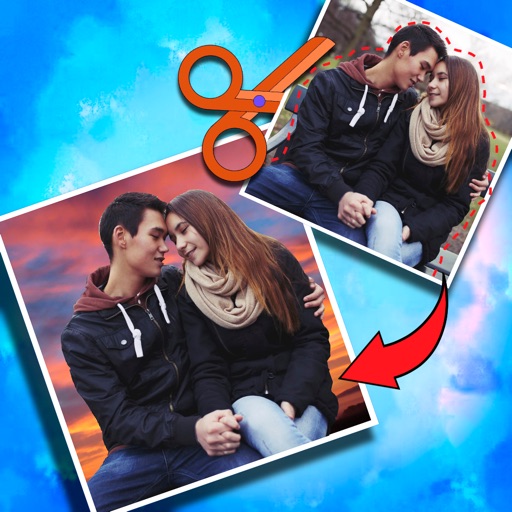
Crop photos and save individual cropped sections for later use. Combine cropped images with backgrounds or other photos to create new compositions. Apply filters to enhance the visual appearance of edited images.
The app displays user pictures in a virtual gallery. Users can add pictures from albums, arrange them on walls using gestures, and add frames with custom depth, width, and color.
Blur image backgrounds to create effects. Select photos from gallery or capture new images. Apply multiple blurring tools to adjust blur intensity. Export edited photos to device storage.
Store and manage private videos and photos with password protection. Record or import videos in supported formats. Take or import photos. Access a private browser for secure internet browsing.