The app provides musicians with over 100 royalty-free music samples, including drum and percussion sounds. It allows for adjustable tempo, scale, and tanpura tuning for practice and performance.
by Nemat Behiar★ 3.936 ratingsMusicFreeData updated 2026-10-28
Play with adjustable keyboard and access to various instrument sounds. Create using a drum loop pad matrix. Record and share music tracks. through interactive features. Sync with Apple Health for workout tracking.
Stream from a large selection of songs. Search for favorite artists and tracks. Access local radio stations. Use an intuitive, well-designed interface. Play YouTube videos through the YouTube API. Some features include ads.
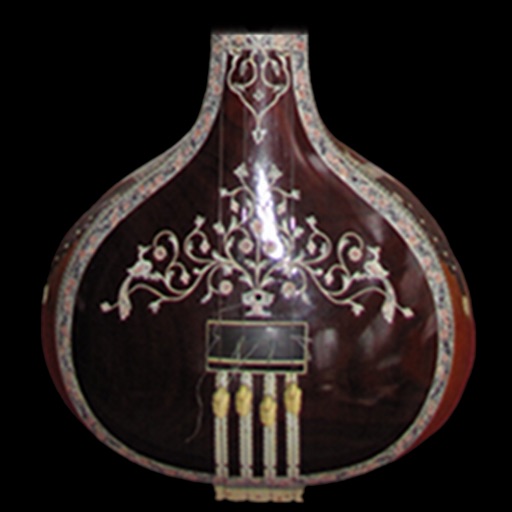
The app provides high-fidelity, full-stereo recordings of a real acoustic Tanpura. It offers natural overtones and resonance, making it a preferred choice over synthetic alternatives for students, teachers, and performers.
Create and sequence sound patterns using 14 effects arranged in a matrix. Adjust parameters for each effect to shape audio. Generate loop collages and save custom presets. Export audio files for playback or further editing.
Create and edit beats using samples and sequencer programming. Tap pads or use advanced controls for sound shaping. Build complex sequences and customize rhythms. Export projects and share beats directly.
Soundboard lets users select and play preloaded audio clips. Users can create custom soundboard mixes by adding or removing sounds. Share soundboard creations with others via social media or messaging apps.
Play using realistic samples from four real . Adjust dynamics to forte, mezzo-forte, or piano. Select notes within each drum's range in a standard four- setup. Toggle rolls on or off.
Learn fundamentals through 19 interactive units with audio samples and exercises. Practice core concepts with skill-based quizzes. Track progress and review key definitions. Sync with AP curriculum for college-level preparation.
Download and view sheet music with embedded audio samples for playback. Print scores offline. Enable reading aids to check sight-reading. Sync with AirTurn Bluetooth devices for piano use.
Play keyboard sounds, MIDI keyboard tones, typewriter noises, and four produced drum kits. Trigger samples via keyboard input or MIDI. Export audio files and share directly.
Create and customize MIDI sequences with scale selection, complexity settings, and step controls. Generate random patterns and melodies. Adjust pitch, transpose, and set playback motion. Export patterns or use Infinity mode for continuous generation.
Create and manipulate drum sounds using a graphic editor. Use 76 samples and synthesis drum kits. Mix and match sounds across drum kits and tracks. Load drum kits from factory or other songs to generate new compositions.
With dual keyboards and adjustable octave and size. View sheet music on iPad while playing. Use metronome with adjustable tempo and volume. Record performances. Adjust note range.
Create and customize drum beats using a variety of and samples. Play and layer different drum patterns. Add sound effects and adjust settings for custom rhythms. Export beats and share directly.