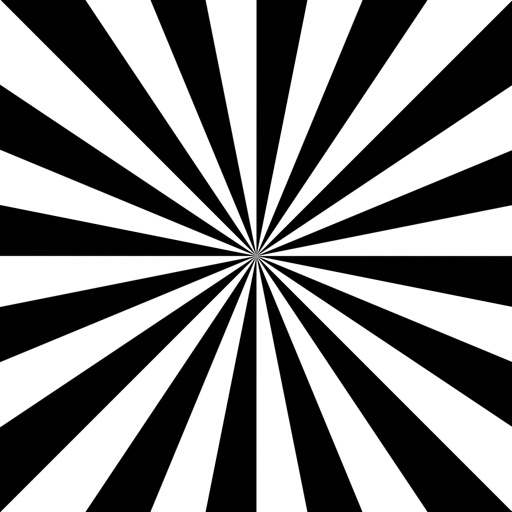
The app displays two focus charts, including a siemens star, to aid in camera lens adjustments. It keeps the phone active during focus testing and lens evaluation, allowing users to switch between charts with a swipe.
by Cadrage GmbH★ 4.49 ratingsPhoto & VideoFreeData updated 2026-10-27
Adjust using AI analysis of live camera previews. Display Kelvin temperature values. Measure ambient light conditions without external sensors. Save and compare settings for different lighting scenarios.
Measure objects with a camera ruler mode that uses your phone's camera for distance calculations. Switch between inches and centimeters. Adjust measurements with precision sliders. Access a classic ruler and tape measure for manual measurements.
Capture photos with signature color and style. Adjust exposure, focus, and white balance manually. Select from multiple film simulation modes. Edit images with basic tools. Share photos directly from the .
The app provides manual camera controls and film-like processing for natural photos. It offers tools for focus, composition, and editing, supporting various RAW file formats.
Capture photos of the moon by aligning the camera manually. Adjust moon size with two fingers. Tap to autofocus or manually adjust focus. Modify brightness using +/- buttons for better detail. Press the circular button to take a photo.
Capture photos with custom film simulations and adaptive grain. Use live analytics for exposure adjustments. Share directly from the . Edit images with advanced controls and export in high-quality formats.
Calculate depth of field for different shooting distances and focal lengths. Input camera model and lens specifications for accurate results. Adjust settings to optimize focus and sharpness for portraits, landscapes, and close-ups.
Offers manual camera controls for iPhone, including shutter speed, aperture, ISO, and focus. Users can adjust exposure, white balance, and metering. high-quality with customizable settings. Save and share images directly.
Capture still images and long exposure photos with manual focus and exposure control. Adjust white balance, shutter speed, and aperture. Save and share high-resolution images directly.
Create and edit and crochet patterns with drawing tools. Import PDFs from device or Ravelry. Track progress with Working Mode, row counters, or PDF highlights. Convert square charts to written instructions. Add images to canvas.
Capture photos and videos with iPhone or iPad using . Adjust focus and exposure with a slider. Control LED flashlight brightness manually. Automatically selects optimal lens for shots. Record videos in 4K at 60 fps or 1080p slow motion.
The app provides fisheye photo and video capture with live preview. Users can add vintage film effects, crystal scenes, ring flash styles, and a GPS watermark.
The app provides fisheye photo and video capture with live preview. Users can add vintage film looks, colorful ring flash effects, and a GPS watermark to document captured moments.
Calculate depth of field and hyperfocal distance for photography. Input distance, aperture, and focal length to determine focus settings. Customize camera models and lens lists for accurate calculations. Share results and export data for reference.
Take portrait selfies with front and rear camera switching via tap or shake. Use night mode for low-light shots. Auto mirror and timer functions available. Create grid collages with 1:1 and 4:3 layouts using 1 to 9 grids.
Capture photos and videos with real-time sparkling lens flares. Choose from star, snow, flower, and tree shapes. Add or remove glitter objects manually in photos and videos. Adjust sparkles in the photo album.
RAW+ allows exposure with on-screen shutter and ISO sliders. Supports RAW and ProRAW formats. Enables focus and custom white balance. Offers advanced settings for toggling features. Includes a free trial of five shots before requiring a purchase.