The app allows users to create photo slideshows in 3D or cartoon styles. Users can select photos from their gallery, camera, or social networks and add titles with various fonts before rendering the video.
by Ricardo Corin★ 2.04 ratingsPhoto & VideoFreeData updated 2026-10-27
Customize appearance with color, , and background options. Select from gallery or take a photo for background. Choose key shapes and styles. Add sound effects and personalize layout.
The app contains original stickers, emojis, icons, and reaction faces for texting. Users can search for animated gifs to send with a single tap, making chats more noticeable.
Create short videos by arranging clips, adding music, and applying effects. Edit footage instantly without complex tools. Save videos to camera roll or share via email, Twitter, and Facebook.
The app allows users to animate photos and messages, creating shareable video loops. New loops are added daily, and users can access additional content through an in-app subscription.
Convert real-person videos into animated cartoons using AI models. Apply various art styles to faces and backgrounds. Import 1080p or 4k videos with people facing the camera. Export animated videos in different formats.
Create AI avatars from selfies in styles like cartoon, manga, 3D, and realistic painting. Customize backgrounds and animation scenes. Export videos or GIFs directly.
Apply AI to photos and videos to create cartoon, clay, or anime styles. Choose from trending and apply them with a single tap. Save and share the edited content directly.
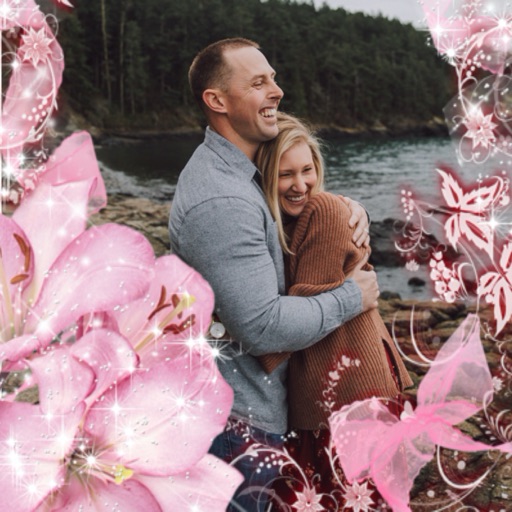
Create new greetings with customizable photo frames and effects. Add stickers, fonts, and messages to enhance photos. Include video editing features to compile special moments into New videos. Share finished greetings and videos directly.
Add text to photos with customizable fonts, colors, sizes, and borders. Include stickers and background colors for creative expression. Share directly to social media platforms. Supports multiple languages including Arabic, , Persian, and Hindi.
Select a or take a new one with the camera. Choose from over 30 colorful to decorate images. Apply different frame styles and designs. Save edited photos to the gallery and share them on social media.
Faces in photos and videos using AI technology. Choose from various faces and apply art styles or templates. Transform into cartoon characters, avatars, or digital artworks. Edit and share the final result directly.
Edit photos with cartoon filters, AI-generated toon effects, and anime styles. Convert selfies into AI characters or 3D images. Adjust hair color and style with virtual salon tools. Export and share edited photos in various formats.
Create PIP photos and collages using frames, filters, and effects. Add text, stickers, and adjust brightness and contrast. Share edited images directly or save to the gallery.
Create collages by importing images from the camera roll. Combine photos using hundreds of . Adjust and rotate individual images. Add text and artwork with Pro. Share collages on Instagram.
Create characters by setting gender, profession, and appearance. Add accessories, name the character, and save to a gallery. Share via social networks or use as an . Email characters for further editing on a computer.
Create and apply with military-themed designs to commemorate Day. Add text and decorations to photos. Share edited images on social media or via email. Include patriotic effects and background themes.