The app provides drawing tools including airbrush, pen, pencil, line, rectangle, and ellipse. Users can control tool color, size, and transparency, and manage layers with transparency and visibility settings.
by Jarrod Luker★ 5.01 ratingsProductivityFreeData updated 2026-10-26
View and create comics with drawing tools, brushes, and fonts. Edit panels, add text, and adjust layouts. Share completed comics or purchase full editing features for advanced customization.
Create intricate tessellations and mandalas using 20 symmetry options. Draw with customizable colors and patterns. Adjust symmetry settings to design complex shapes. Save and export artwork in various formats. Share creations directly from the .
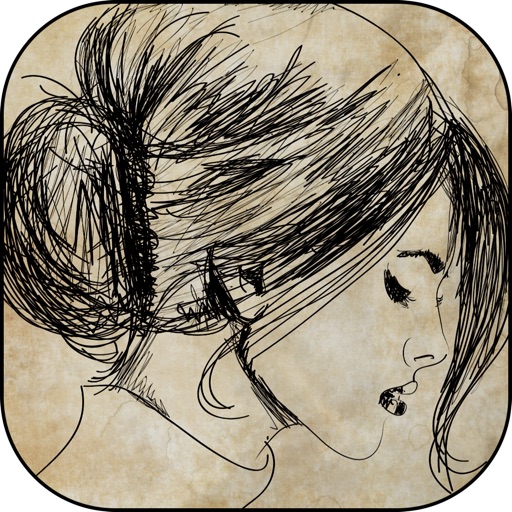
And create sketches using brushes, pens, and pencils. Build layered artwork with zoom for fine details. Import and export vector images in PDF, PNG, and JPEG. Save as transparent PNG. Supports Apple Pencil for precise drawing.
Allows children to draw using color selection, shape tools, and an eraser. It plays when drawing and includes a random color option. Users can change line thickness and save drawings.
Create and edit vector drawings and illustrations. Import and export files from cloud services. Design logos, posters, and technical drawings. Use multiple windows on iPadOS. Enable dark mode for system settings.
Learn drawing and painting techniques through step-by-step tutorials. Access art instruction guides for pencil drawing, acrylic painting, watercolors, and more. Follow along with interactive lessons and practice exercises.
The app provides tools for creating, editing, annotating, and exporting PDFs and images. It allows users to scan documents with their camera and edit PDFs with Apple Pencil.
Create animations using finger or Apple Pencil drawings. Access traditional tools like paint palette, auto-save, onion skin, brush, eraser, and frame controls. Duplicate, insert, and copy/paste frames. Export animations as MP4 files for sharing.
Children can draw and color using 8 different brushes including crayon, pencil, paintbrush, paintball, chalk, sponge, stickers, and stars. They can choose from over 100 pages. The includes fun effects, sounds, and stickers to enhance creativity.
Use augmented reality to and images from photos or the camera. Draw on paper with a pencil using phone support. Convert photos into drawings. Save and share artwork.
Save ideas, organize projects, visualize workflows
Organize creative projects with notes, images, videos, and sketches. Arrange ideas and tasks visually in customizable boards. Invite team members to collaborate on shared or private boards. Save content from other apps directly.
VectorPaint allows users to create illustrations with paths, compound paths, text, images, groups, masks, and gradient fills. It supports unlimited layers and exports to SVG or PDF via . Users can select, scale, and manipulate objects efficiently.
Take notes and sketch ideas with natural pen-like ink. Resize and reposition elements with finger gestures. Organize thoughts by rearranging concepts visually. Sync notes across devices and export in various formats.
Create 3D models and architectural designs using NURBS technology. Import and export files in standard CAD formats. Modify geometry with advanced editing tools. Add textures and materials to surfaces. Generate 2D drawings from 3D models.