Apply realistic filters for vintage tones. Add grain and scratches for authentic texture. Adjust exposure and contrast for -like lighting. Export in high resolution and share directly.
Adjust exposure, focus, and white balance manually. Control shutter speed and ISO settings. Use a gray card for accurate white balance calibration. Capture high-quality photos with full manual camera controls.
Apply to photos to change their appearance. Save edited photos to roll automatically. Share photos directly without manual export. Purchase once for permanent use.
Edit photos with splash effects, convert images to black and white, or apply custom colors. Add filters, zoom in on photos, and use a brush tool. Export and share edited images directly.
The app provides a camera with a voice countdown timer, allowing users to take photos without holding the device. Multiple photo modes are available, and captured images are saved to the camera roll.
Use the live camera or select a photo to apply mirrors and filters. Choose from horizontal, vertical, tri-h, tri-v, diagonal, quad, and other mirror types. Apply filters like B&W, Lomo, Colorz, Warm, Cold, Sepia, Nostalgia, Vibrant, Toy, and Sketch.
Apply filters to photos for pop art, monochromatic, or ink drawing effects. Adjust color palettes from 90+ options. Import and export photos unlimitedly. Share edited images directly. Create stencils for silk screening.
Capture photos with filters to enhance appearance. Adjust lighting and apply special effects. Share edited images directly. Track dining moments and save high-quality photos.
Apply live filters to enhance photos with effects. Adjust color tones and add vintage textures. Share edited images directly to Instagram. Save and view photos with analog-style filters.
Apply AI-powered filters by imitating styles from other images. Adjust brightness, exposure, contrast, highlights, shadows, saturation, vibrance, temperature, and tint for detailed edits. Export edited photos in multiple formats.
Edit photos with multiple props, frames, and effects. Apply presets and overlays. Capture photos in portrait, landscape, or square orientation. Share images directly to social media. Supports iPad, iPhone, and iPod Touch.
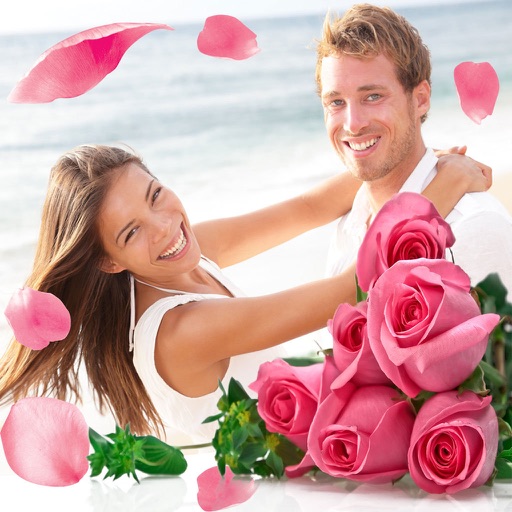
Apply flower to photos from your album. Choose from various like roses, daisies, and sunflowers. Add color filters and adjust appearance. Share edited photos with family and friends.
Edit photos using adjustable filters for brightness, contrast, saturation, color temperature, highlights, shadows, and color. Add text to images for customization. Preview in real time. Remove previous settings. Save edited photos to the device.
Edit photos with color and film filters, vintage textures, and light leak effects. Adjust brightness, contrast, and saturation. Add vignettes and analog film sensations. Export edited images in various formats.
The app transforms the world into a sketch using real-time filter processing. Users can select from eight available filters and see the effects before taking a photo.
Edit photos with filters, masking, and color adjustments. Adjust brightness, contrast, and hue. Draw on images with customizable colors. Crop, rotate, and apply blur or focus effects. Export photos to the library.
Capture photos and videos in format. Apply emoji face mask filters and generate genmoji, sticker, and memoji filters. Use AR glasses filters and duck mode. Adjust brightness in real-time. Edit photos by selecting colorspace, CMYK, and RGB channels.