Apps Like Templates for MS Excel Pro for iPhone and iPad
Excel templates for easier tasks
The app offers 41 Excel templates with colorful backgrounds and table layouts. These templates are designed for easy manipulation to simplify user tasks.
by 顺华 吕★ 0.00 ratingsProductivityFreeData updated 2026-10-23
Create and edit forms with customizable templates and blank tables. Sort and manage forms by creation or update time. Export data in multiple formats. Share forms directly with others.
And in formats like VCF, CSV, PDF, and JSON. Backup entire address books or share specific . Process data locally to ensure privacy and avoid cloud syncing.
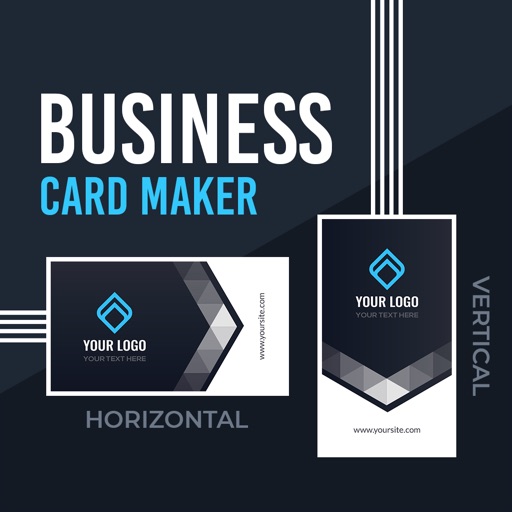
Create professional or cards using design templates. Customize text, colors, and layouts. Add logos and contact details. Export cards as PDF or image files and share via email or social media.
Create -swapped videos by uploading a self-photo to apply to templates. Replace faces in clips with characters or other faces. Access regular template updates. Export high-quality videos for social media platforms.
Create customizable on-screen keyboards using plain text. Add language or dialect support. Design layouts for workflow optimization. Include fancy characters and Unicode symbols. Export and import configurations.
Edit PDFs with text, image, and layout modifications. Read with AI summaries, highlights, and customizable themes. Annotate using highlights, notes, and sketches. Fill and sign forms interactively. Convert PDFs to Word, Excel, PPT, images, and TXT.
Edit Word, Excel, and PPT documents directly on mobile. Support DOC, DOCX, XLS, XLSX, PPT, and other formats. Convert images to text using OCR. Create documents with templates. Export files in multiple formats. Sync files across devices.
The app provides document templates for Apple's Pages application. Templates are available in US Letter and A4 sizes and can be customized with user colors and fonts.
View and manage calendars from iPhone, iPad, Google, Outlook, and Exchange. Sync birthdays with contacts. Create and organize tasks, reminders, and shopping lists. Set reminders and sync ToDos across devices. Manage iOS reminders directly.
Set using pre-designed templates or create custom ones. Track progress with visual indicators and achievement milestones. Automatically back up data to ensure security. Access friendly support for assistance with goal management.
The app provides 110 spreadsheet templates for Apple's Numbers application on iPhone and iPad. Templates include accounting, menus, fitness planners, calendars, and schedules, with many featuring pre-filled formulas and formatting.
Create professional PDF resumes with customizable . Preview documents before exporting. Receive job description suggestions and writing tips. Purchase premium for enhanced customization. Save and share resumes in PDF format.
Create professional cards with templates and design
Create professional cards with customizable templates, fonts, icons, and layout tools. Add text, images, and logos. Export as PDF or print-ready files. Share via email or social media.
Create professional letterheads with customizable templates. Add logos, choose fonts, and adjust colors. Export as PDF or image files. Share directly via email or cloud services.
Track and expenses with project management features. Log daily activities, set tasks, and monitor progress. Sync data across devices and integrate with Mac or PC versions. Share reports and collaborate with team members.
Create certificates, gift cards, vouchers, and coupons
Create certificates, gift cards, vouchers, and discount coupons with customizable templates. Add text, images, and logos. Adjust layouts and colors. Export as PDF or image files. Share via email or social media.