The app adds the date, time, and GPS location to a QR image. Users can retrieve photos from their library and view picture information such as shutter speed, exposure time, aperture, and brightness.
by jose javier fernandez mendoza★ 0.00 ratingsPhoto & VideoFreeData updated 2026-10-22
Determines if it is outside based on location and time zone. Displays current position, date, time, and sunrise/sunset times. Supports iPhone, iPod touch, and iPad. Provides audio feedback for blind users using VoiceOver.
Capture photos with automatic time, date, and GPS location stamps. View customizable AR overlays and map locations for each image. Use for travel, documentation, or journaling with accurate geotagging and visual tracking.
Capture photos with geotagging, date-time, and location data including latitude, longitude, altitude, weather, and compass. Add timestamp watermarks to real-time photos. Share geotagged images with others.
From phone storage with a simple interface. Scan device files to locate lost images. Preview and restore directly. Support for various image formats and secure data handling.
Take high quality photos and videos using triple and dual systems. Adjust exposure and use 10x zoom for both photos and videos. Record HDR videos with real time zoom and smooth focus. Switch between lenses automatically or manually.
Add a to enhance images with dozens of beautiful and backgrounds. Choose from various background colors and filters. Adjust contrast, brightness, color temperature, sharpening, saturation, and color balance. Add text watermarks to photos.
Edit photos with retro filters and . Add antique textures and color adjustments. Apply nostalgic styles for a timeless look. Save and share edited images directly.
Allows manual adjustment of exposure, focus, shutter speed, and ISO. It offers a minimalist interface with an option to hide controls for mirroring. Users can the via AirPlay to devices like Apple TV or software receivers.
Control Nikon or Canon DLSR cameras via hardware. Adjust settings like ISO, aperture, and shutter speed. Perform live view touch focusing and remote capture. View high-resolution images and manage focus adjustments directly from an iOS device.
Capture photos and videos with Bracketing, Slow Shutter, and Time-lapse modes. Adjust exposure, focus, and white balance manually. Export raw files and share directly. Sync with Apple Health for activity tracking.
Edit photos and videos to apply effects. Adjust hue, saturation, brightness, contrast, exposure, and other parameters. Use smart sharpening filters to enhance image quality. Convert old photos to style. Export edited content in various formats.
Edit photos with brightness and exposure sliders for precise control. Choose from JPG, PRO, RAW, and HEIF formats. Capture images in high quality. Adjust custom settings for advanced photography.
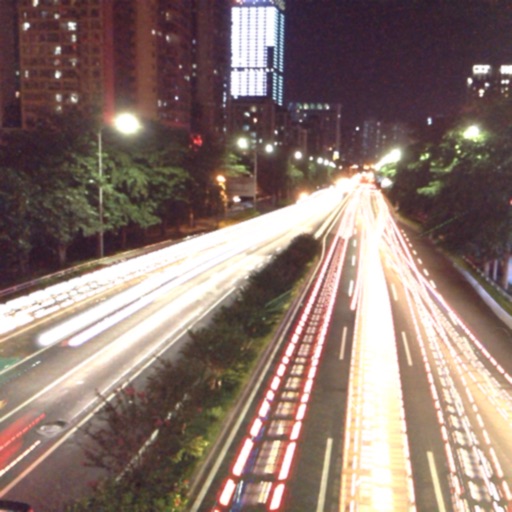
The app captures photos using slow shutter speed effects to create light trails and streams. Users can control exposure time and focus for motion blur photography.
Adjust camera settings including exposure, focus, and white balance. Control shutter speed and ISO manually. Preview and review photos instantly. Save and share edited images directly.
Photos with filters, adjustments, and effects. Apply blur, focus, and rotation. Add text, stickers, and draw on images. Crop, resize, and enhance photos. Remove blemishes and whiten smiles. Save or share edited images.
Track , distance, and location using GPS. Display in analog and digital formats. Monitor time and vehicle velocity. View current location and record trip data.
Edit photos and videos with advanced auto enhance tools, double exposure, and 425 special light effects. Apply filters, add stickers, typography, and vignettes.
Take photos and apply -themed and wreaths. Add stickers like ornaments, elves, and jingle bells. Enable snow effects and customize designs with multiple decorative elements. Share finished photos directly.