
@Doodle
Evolutive Apps S.L.
Explore imagination with a painting app.
The app provides a painting experience with various brushes and an infinite color palette. Users can draw freely, use a coloring book, or draw on imported photos.

Paint software with eight brush types.
The app offers eight brush types and auto-saves images. Users can transfer images to their Mac via iTunes file sharing or share them through email and social media platforms.
Showing 121–140 of 1,000 ranked alternatives.
Evolutive Apps S.L.
Explore imagination with a painting app.
The app provides a painting experience with various brushes and an infinite color palette. Users can draw freely, use a coloring book, or draw on imported photos.


FANG Inc.
Post entire photos without cropping.
The app allows users to post entire photos on Instagram without cropping. It offers a colorful background option and direct sharing to Instagram, Facebook, and X.

Patel Nishaben
Apply to photos and share them
Edit photos by selecting from the gallery or capturing with the camera. Apply multiple and effects. Adjust position, size, and angle. Save, share, or upload images to social media platforms like Facebook, Twitter, and email.



Sylwester Los
Stretch and distort photos creatively
Edit photos with stretching, squeezing, pinching, and prodding tools to create surreal effects. Apply advanced image manipulation techniques similar to professional software. Export edited images in various formats and share directly.


Devkrushna Infotech Private Limited
Create with brush tools
Learn basics through guided lessons on letter formation and stroke techniques. Practice tracing and writing letters with on-screen tools. Access alphabet guides and stroke exercises to improve lettering skills.

Patel Rikunj
Apply frames to photos and share them
Edit photos by selecting from the gallery or using the camera. Apply multiple frames and effects. Adjust position, size, and angle. Save edited images and share via social media or email.

Bilal Javed Bhutta
And share digital artwork
Create and edit digital paintings using pencil tools, brushes, and smudge features. Fill areas with color, add text, and draw shapes like lines and circles.

炜春 唐
Create mindmaps with custom styles
Create maps with drag-and-drop editing and customizable styling options. Adjust fonts, colors, and shapes. Insert and crop images with filters. Share mindmaps via social media, .mmx files, or PNG images. Sync files across devices using iCloud.

Sercan Sevindik
Try on glasses, mustaches, and hats
Edit photos by importing from camera or gallery. Add glasses, mustaches, beards, hats, and bowties. Resize, rotate, adjust transparency and color. Erase parts of accessories for a custom look. Share edited photos directly.
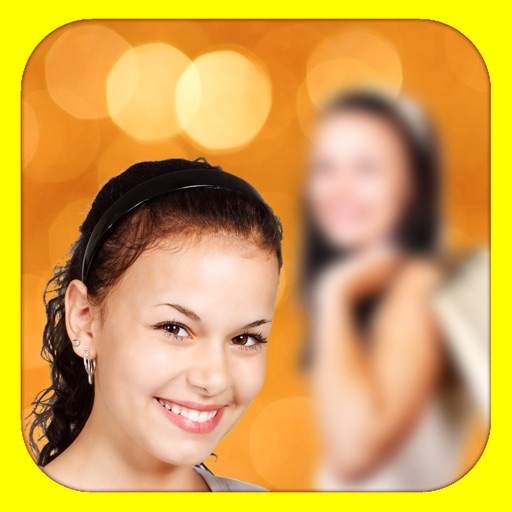
Alexander Dr. Rieger
Add depth of field to photos.
The app adds depth of field to images, creating realistic blurs with Bokeh effects. Users can adjust blur amount, paint focus areas, and share creations on social media or save them.


pixel force private limited
Apply effects and filters
Apply effects to photos in real time with 8 live lenses. Add 60 live filters to lenses or use 60 static filters for creative enhancements. Capture and share edited images directly.


JixiPix, LLC
Convert photos to vibrant HDR images
Apply HDR to photos to enhance light and detail ranges. Adjust exposure, contrast, and color balance. Export edited images in high quality. Share directly to social media or messaging apps.

Susan Gardiner Bourlier
Display photos from your device and cloud
Display photos from device storage, iCloud, Facebook, Flickr, Instagram, Google Photos, and Dropbox. Show all photos or specific albums. Customize frame layout and transition effects. Share photos via social media or email.
Apps are ranked by functional similarity, category fit, rating confidence, and popularity.