The app provides a visual and precise method for measuring light. It displays aperture, shutter speed, and ISO on a connected exposure wheel for at-a-glance control.
by David Quiles★ 4.714 ratingsPhoto & Video$1.99Data updated 2026-11-08
Detects ferrous objects behind walls using phone's magnetic sensor. Measures magnetic field variations in microteslas. Displays real-time readings and highlights deviations from baseline.
Capture photos and videos using voice commands. Take a photo, start or stop video recording, reverse the , and enable or disable the flash. Voice recognition works offline on iOS 13 and higher. Configure custom phrases for commands.
Control camera remotely, preview live feed, capture
Control camera settings remotely using two iPhones, one as camera and one as remote. View live previews in real time. Capture photos, videos, and timelapses. Adjust flash, focus, exposure, zoom, timer, ISO, shutter speed, and white balance manually.
Record videos in various resolutions, frame rates, and codecs like Open Gate and ProRes. Apply custom LUTs for color grading. Preview and adjust footage in real time. Export in multiple formats for different platforms.
Capture photos and videos with Bracketing, Slow Shutter, and Time-lapse modes. Adjust exposure, focus, and white balance manually. Export raw files and share directly. Sync with Apple Health for activity tracking.
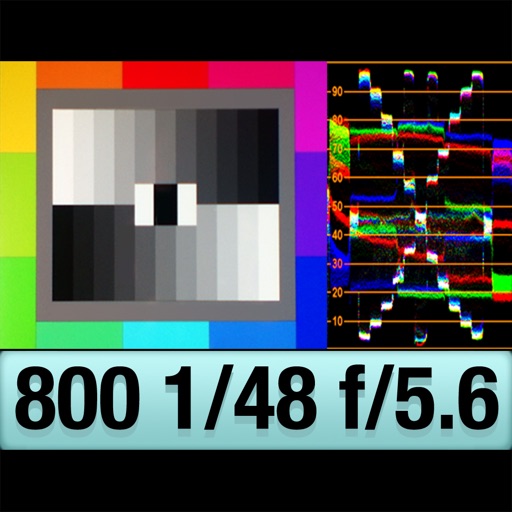
The app provides an RGB waveform monitor, false-color display, and a shutter-priority reflected light meter. Users can calibrate the light meter to match other devices and view light levels across a scene.
The app functions as an exposure meter for cameras, continuously measuring exposure value and displaying information without shutter release. It allows recalculation of shutter speed, ISO, and F values during measurement.
The app provides slow shutter control and a full set of effects and filters. It includes capture modes, adjustable shutter speed, a self-timer, and freeze and contrast controls.
Edit videos with controls including focus, exposure, ISO, and white balance. Apply slow motion, speed up, add borders, filters, text, music, blur, emojis, and stickers. Share directly to YouTube, Facebook, Snapchat, Twitter, and Instagram.
Captures multiple photos with a timer or instantly. Calculates an averaged image to reduce noise in low-light conditions. Normalizes exposure to brighten shadows. Requires stable placement to avoid blur. Export and share the final image.
The app allows a user's iPhone or iPad to function as a remote camera for Stop Motion Studio. It provides live preview and full camera control for capturing stop-motion animations.