The app decodes Morse Code audio input from a microphone or headset into text. It offers automatic decoding and manual controls for audio frequency, WPM speed, and background noise threshold.
by Ronald Nicholson★ 0.00 ratingsUtilities$9.99Data updated 2026-10-19
Decode Morse code audio into text using microphone or headset input. Automatically translate signals or manually adjust settings for weak signals. Control filter frequency, WPM speed, and background noise threshold.
Decode Morse code audio into text by accessing the microphone and placing the device near the audio source. The automatically detects frequency and speed, displaying real-time text in a bottom panel. Use the lock icon to secure the interface.
Decode code audio into text. Display audio spectrum and tone amplitude graphs. Adjust narrow band audio filter between 400-1600 Hz. Set WPM speed for dot/dash detection. Configure tone frequency thresholds. Export decoded text.
Translate text to with customizable speed and color. Send messages via email. Supports letters, numbers, and special characters. Blink iPhone light to transmit signals.
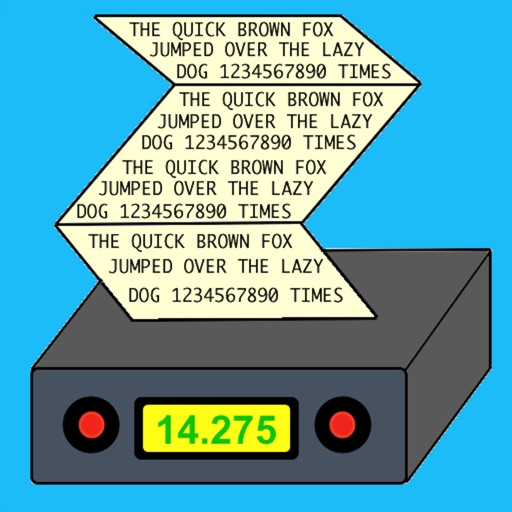
The app decodes morse code transmissions on an iPad, iPhone, or iPod Touch. It can automatically determine the sending speed and track frequency changes.
The app generates Morse Code audio tests using common English words. Users can adjust speed and tone, with options to display or hide words for learning and practice.
The app generates random 5-letter words for Morse Code practice. It sends these words using the iPhone speaker and allows users to set WPM, dot speed, and tone frequency.
Learn morse code using the Method, which trains reflexes at 20 WPM. Practice with customizable speed settings. Track progress with repetition and accuracy metrics. Receive feedback on correct and incorrect responses. Export progress reports.
Measure levels in decibels using the device’s microphone. Display real-time audio frequency and dB readings. Apply filters for specific frequency and dB ranges. Share measurements via Messages, Email, WhatsApp, Notes, and other apps.
Turn on a bright with a single tap. Adjust brightness and color temperature. Use as a timer or night light. Share functionality with other devices via Bluetooth.
A with three modes: torch, light, and strobe. Adjust brightness manually or automatically. Lock the screen to prevent accidental closure. Features quick startup and high-quality graphics for older iOS devices.