Control stream, recording, or virtual camera output. Hide or show scenes and individual scene elements. Prevent accidental scene switches during live broadcasts. Requires obs-websocket plugin for older OBS versions.
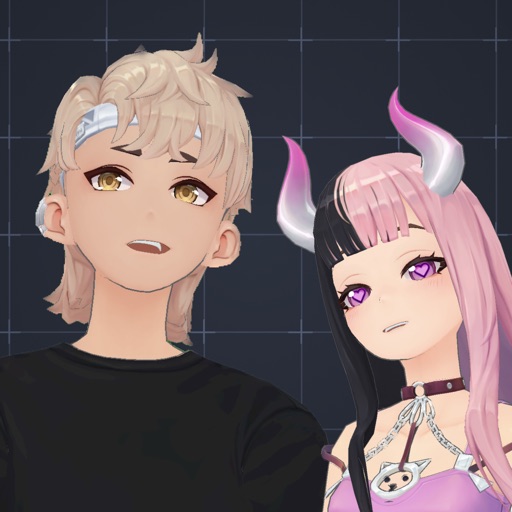
Create and customize 3D avatars using built-in tools or imported VRoid files. Record and stream content with real-time facial and hand motion capture. Share videos directly to TikTok, Twitch, Twitter, or other platforms.
Turns phone into a high-definition source for OBS Studio. Stream or record virtual events with live video and audio. Supports real-time input for content creation. Integrates with OBS for broadcasting and recording.
Create avatars by uploading images. Perform real-time body and facial movements to animate characters. Stream live videos with interactive roleplay. Share content on social media platforms. Participate in trending challenges and viral moments.
Producer Pad allows remote control of OBS Studio setups. Manage scenes, sources, audio, and streaming via WebSocket. Switch scenes instantly, preview programs, view multiview grids, and adjust source visibility.
Allows manual adjustment of exposure, focus, shutter speed, and ISO. It offers a minimalist interface with an option to hide controls for mirroring. Users can the via AirPlay to devices like Apple TV or software receivers.
Stream video and audio from iPhone or iPad using USB or WiFi. Adjust resolution and frame rate. Record and save streams directly. Control audio input and output settings. Monitor stream quality and performance in real time.
Stream live content in categories like sports, gaming, music, and education. Viewers can chat, send virtual gifts, and follow creators. Creators can broadcast live, manage audiences, and interact through comments and polls.
Allows users to manage and customize network traffic. It records HTTP requests and responses, supports MitM decryption for TUN interface traffic, and enables HTTP rewriting with URL redirection or header/body modifications.
Turns iPhone into a source for OBS via NDI or direct connection. Supports high-quality video with low latency. Allows streaming, recording, and video conferencing. Enables real-time preview and control of settings.
Learn and practice IFR flying with a simulator that allows setting up custom navigation aids, aircraft position, speed, and movement. Adjust runway direction, wind conditions, and use instruments like VOR, HSI, DME, and RMI.