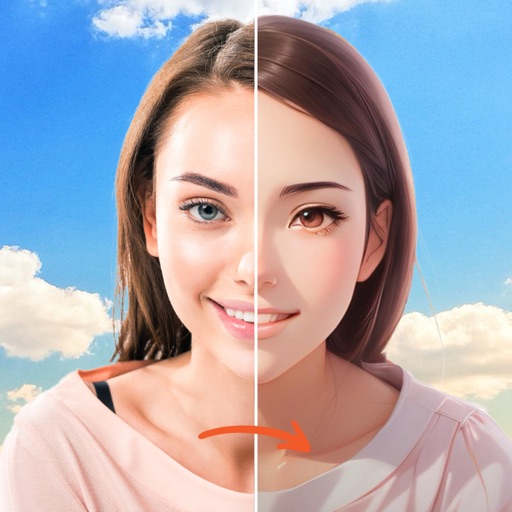
Edit photos with filters, contrast, brightness, and color adjustments. Add text, stickers, and drawing tools. Customize images and landscapes. Export in high quality. Access a free image library. Apply advanced editing features.
Create and edit sketches with intuitive tools and customizable color palettes. Export sketches for use in other graphics software. Support multiple windows and dark mode for enhanced workflow.
Create illustrations, logos, and UI designs with precise drawing tools. Import and edit graphics. Organize projects in workspaces. Export in multiple formats. Collaborate in real-time with others. Adjust colors, shapes, and layers.
Turn static images into animated videos using pre-designed templates. Add motion to characters, set scene transitions, and customize effects. Export and share finished animations directly.
Import data from various sources, organize and compute datasets, and create custom visualizations. Build publication-quality graphs and animations using a visual interface.
Create abstract art by drawing shapes that auto-connect and fill with random procedural patterns. Use Auto Draw to generate unique compositions in real time. Watch animations transform your artwork into kaleidoscopic designs.
Apply B&W filters to create classic analog film effects. Use duotone filters for trendy, pop-inspired color schemes. Adjust exposure, contrast, and brightness for detailed edits. Export edited photos in multiple formats and share directly.
Set quick actions on the Screen to run Siri Shortcuts, open apps, or launch custom URL Schemes. Create folders and use up to 8 interactive . Execute shortcuts without unlocking the device.
Create, store, and share short stories and animations. Add images and text to build stories. Save books for offline viewing. Share across devices. Reuse animations within story books. Edit and view stories anytime.
Create digital art with customizable brushes and layers. Adjust brush settings for pressure and flow. Use Apple Pencil for precise strokes. Save and export artwork in various formats. Import images for tracing or blending.
Pofi Entertainment Shenzhen Network Technology Co.,Ltd
3D scenes with assets and lighting
3D art with character, animal, and scene assets. Adjust camera angles and lighting settings. Use motion tools for animation. Simplify perspective and composition with intuitive controls. Export sketches and finished works.
Draw and with customizable brushes and layers. Edit images with adjustment tools and filters. Import and export files in various formats. Use gesture controls for quick navigation and editing.
Customize and pose 3D anime characters with adjustable expressions and outfits. Create animations by manipulating virtual figures as if handling real collectible models. Export poses and animations for use in memes or digital art projects.
Create animations from two or more images. Define curves on matching features like eyes, nose, and mouth. Preview changes in real time. Export as a movie or individual images. Supports between humans, animals, and objects.
MILKYWAY OYUN YAZILIM BILISIM SANAYI TICARET ANONIM SIRKETI
Swap faces, animate, and create videos
Create AI-generated videos by swapping faces in photos. Edit animations, adjust timing, and apply filters. Export videos to social media platforms. Share creations directly from the .
Create custom and symbols by drawing on the screen. Use 50+ pre-designed and Kaomojis in any via keyboard extension. Customize keyboard with wallpapers and system emojis. Design handwriting and share creations.
Adjust image hues, saturation, and brightness. Apply binarization, smoothing, and mosaicing. Add noise and reduce color depth. Save and share edited images.
Edit videos and photos using LUTs for color grading. Import and apply over 2500 presets. Record videos and take photos with applied LUTs. Adjust color and exposure settings. Export edited media in various formats.