Turn your iPhone or iPad into a display. View in full screen with no buttons or clutter. Adjust brightness for nightstand use. Tap to dim or swipe to change brightness. Supports landscape and portrait orientations.
Set alarms with customizable themes and stations for personalized wake-up. Receive real-time weather updates. Sync with calendar for event . Adjust volume and snooze settings. Track daily routines and manage tasks.
Displays time with a minimalist page-flipping animation. Shows current time and date. Toggles between 12-hour and 24-hour formats. Adjusts for time zones. Sets alarms and timers. Tracks study sessions with focus mode.
Track time zones with a world clock displaying 64,000 cities. View interactive maps with customizable themes. Check moon phases and enable clock chimes. Use location tracking to update time based on current position.
Set time format to 12 or 24 hours. Display date and calendar information. Adjust screen brightness. Use interactive to view seconds. Choose from 100+ watch faces and themes. Add transparent to home screen. Show full screen .
The app displays the time with 140 style options, including 28 color themes and 5 color fonts. It offers 12 or 24-hour modes, portrait and landscape viewing, and customizable clock styles and status settings.
Customizable clock allows users to add background images, select from over 20 clock faces, and choose between 24-hour and 12-hour analog or inverse clocks. Users can set time announcements in six languages and adjust settings via swipe gestures.
Display time using LED-style buttons representing values for hours, minutes, and seconds. Toggle between 24-hour and 12-hour modes. Set alarms, use countdown timers, and choose beep sounds. Customize button colors for visibility.
Desktop displays time with a style and retro interface. Set focus mode to minimize distractions. Use countdown timer for tasks like cooking or workouts. Adjust settings for time zones and alarms.
Display a customizable with adjustable time zones and date settings. Set alarms and timers. Sync with other devices. Switch between 12-hour and 24-hour formats. Adjust colors and styles.
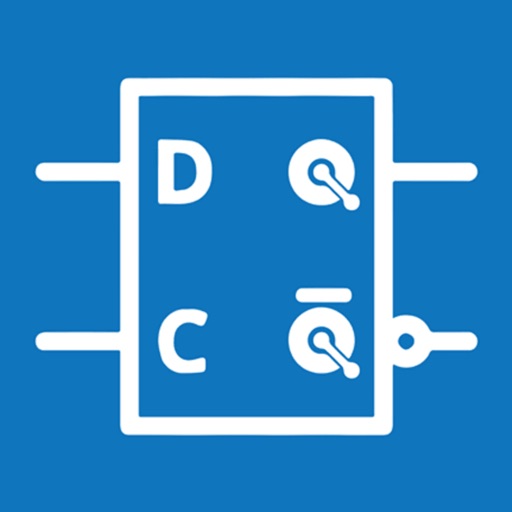
Simulate circuits using components like AND, OR, NOT gates, flip-flops, and multiplexers. Build and test circuits with drag-and-drop components. View output through monitors and adjust inputs manually. Save and share designs.
Offers cuckoo sounds, , church bells, and Big Ben tones. It provides hourly time reports in multiple languages. Users can set custom times for sounds, record voice tips, and choose notification modes including text, sound, or both.
Displays time with a page-turning effect, showing hours, minutes, and seconds by default. Users can switch to a simplified mode with only hours and minutes. Over 40 white noise options are available for customization.