Display a customizable with adjustable time zones and date settings. Set alarms and timers. Sync with other devices. Switch between 12-hour and 24-hour formats. Adjust colors and styles.
by Lasmit TLB Ltd★ 4.7866 ratingsProductivityFreeData updated 2026-09-24
Display current time with seconds on home screen, lock screen, and dynamic island. Choose from various faces and digital displays. Use full-screen mode for timers. Set smart alarms with automatic volume adjustment.
Set time format to 12 or 24 hours. Display date and calendar information. Adjust screen brightness. Use interactive to view seconds. Choose from 100+ watch faces and themes. Add transparent to home screen. Show full screen .
Track time with a retro face. Set alarms and timers. Adjust for 12-hour or 24-hour format. Customize watch faces with vintage designs. Sync with smart devices for notifications.
Displays time with flip, digital, and analog styles. Customize colors, fonts, and layouts. Set up to 5 alarms with custom music and adjustable snooze. Show current time and times for 6 locations across over 500 cities. Lock screen with touch gesture.
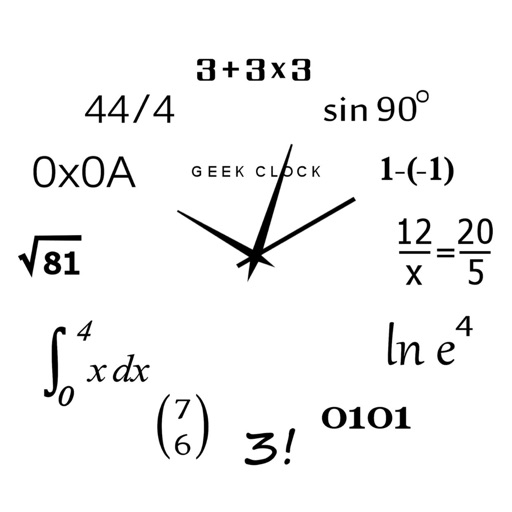
Display time using math problems instead of numerals. Switch between horizontal and vertical layouts. Toggle day and night themes. View animated quotes related to culture. Solve equations to reveal time.
The app displays an analog clock with adjustable size and position. Users can select backgrounds from their photo library and enable or disable the date display.
Display an on the full screen with customizable background color, theme color, and dial letters. Support landscape orientation. No ads are shown while the is active.
Set time with quick selection of time and sound. Snooze for 3 to 30 minutes. Choose vibration or fade-in . Set sleep timer with background music. Switch between 12-hour and 24-hour formats. Use vertical or horizontal display mode.
Display current time in a large, easy-to-read format with 24-hour support. Use gesture controls to change colors, show/hide date, and manage other settings. No ads and includes email support in German and English.
Set alarms and timers with customizable sounds. Display current time and date. Adjust brightness and sleep mode. Sync with other devices for shared alarms.
Time Widget displays time zones in the Notification Center. Tap to view detailed time and date information. Customize widget appearance and set alarms for specific locations.
Displays time in format using an design. Allows customization of settings to aid in reading numbers. Can be set as a screen saver during iPhone or iPod charging.
Display current in correct format with analog clock and adjustable zones. Choose from multiple NTP servers or add custom ones. Switch between local and UTC , 12-hour and 24-hour formats.
Displays current time with high precision using an internet time protocol to sync with an time server. Users can set time zones, adjust display settings, and view time in 12-hour or 24-hour format.
Play sleep sounds and set alarms with time, weather, and calendar info. Choose gentle or loud wakeups, automate lights, or answer trivia. Adjust brightness, use flip clocks, and integrate with smart home devices.
Displays time in digital, analog, and 3D formats. Set alarms, timers, and stopwatches. View world clocks and switch between light and dark themes. Customize appearance and language settings. Enter fullscreen landscape mode for larger display.
Set alarms with customizable sounds and 24/12 hour format. Display time in a large red LCD style with Retina clarity. Use big buttons for easy interaction. Syncs with iPhone settings automatically.
Display time in 12 or 24-hour format with seconds and date. Customize appearance and choose themes. Set alarms with customizable sounds. Control screen brightness and activate flash torch. Include standby and interactive widget features.
Set alarms with customizable schedules and snooze options. Track time zones and current time in different locations. Sync with calendar events for timely reminders. Manage multiple alarm profiles for different days or activities.