Learn fundamentals with interactive lessons on chartwork, safety, buoyage, light signals, shapes, sound signals, meteorology, GMDSS, and anchoring. Take quizzes to test knowledge and track progress.
Vocabulary through spaced repetition. Assess level and receive a personalized learning plan. Study 8 words daily with 5 learning mechanics. Repeat words and expressions to reinforce memory. Choose specific topics of interest.
Read and bookmark verses in or . Access daily readings and verses of the day. Search text, bookmarks, notes, and highlights. Sync bookmarks, notes, and highlights across devices. Highlight, annotate, and share verses.
Translate words and phrases between English and . Look up definitions, synonyms, and antonyms. Access offline translations and pronunciation. Scan text from images for quick lookups. Translate sentences and individual words.
Explore virtual worlds to practice languages through interactive scenarios. Navigate 56 locations including parks, historical sites, and daily environments. Tap objects to learn vocabulary and engage in contextual conversations.
Learn basics through structured lessons and interactive activities. Track progress with quizzes and exercises. Access detailed explanations of key concepts. Practice skills with hands-on simulations.
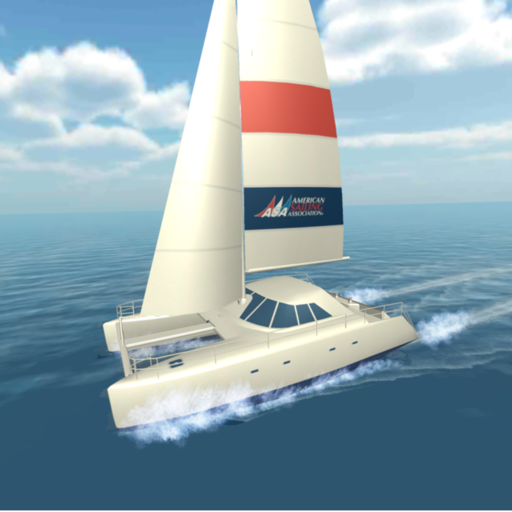
Study Navigation with over 1,200 practice questions covering Inland and International waters. Topics include Steering & Sailing , Lights & Shapes, and Sound Signals. Each question has detailed explanations.
Assesses current knowledge and identifies areas for improvement. Offers personalized AI study recommendations. Includes quiz modes, flashcards, videos, summaries, and practice problems aligned with textbooks.
Learn techniques through interactive lessons and quizzes. Access a structured curriculum based on coastal skipper course. Track progress with goal setting and completion status. View detailed explanations and diagrams.
Learn languages using videos and podcasts with bilingual subtitles and real-time translation. Practice by listening, understanding, imitating, and comparing speech. Get AI assistance to navigate difficult sections.
Reference "View step-by-step 3D animations for tying. Compare knots and learn real-world applications. Access offline without internet. Suitable for all skill levels."
Learn anatomical structures through interactive modes. Choose It mode highlights structures for identification with multiple-choice questions. Touch It mode requires locating and touching specific structures on anatomical images.
Learn to tie over 100 essential using 3D visual guides and animated step-by-step tutorials. Access detailed professional hand-tied demonstrations for climbing, sailing, fishing, and military .
The app provides step-by-step animations for over 195 knots, organized by activity and type. Users can view detailed information about each knot's use, advantages, and disadvantages.