Learn fundamentals with interactive lessons on chartwork, safety, buoyage, light signals, shapes, sound signals, meteorology, GMDSS, and anchoring. Take quizzes to test knowledge and track progress.
by Nautica SIA★ 4.511 ratingsEducationFreeData updated 2026-09-08
Learn techniques through interactive lessons and quizzes. Access a structured curriculum based on coastal skipper course. Track progress with goal setting and completion status. View detailed explanations and diagrams.
Learn fundamentals through six interactive modules covering Points of Sail, Apparent Wind, Sail Trim, Tacking and Jibing, Rules of the Road, and Docking. Practice skills in a timed course simulation to apply knowledge in a realistic environment.
Learn terminology through repeated dictionary entries. Practice with question-based quizzes to reinforce understanding. Track progress and review terms for better retention.
Track wind conditions with detailed forecasts, maps, and compass readings. Monitor wind speed, direction, and gusts. Receive push notifications for wind alerts and storm warnings.
Access charts, maps, weather data, and AIS information. Navigate with worldwide chart coverage from multiple providers. View real-time weather and track vessel position. Set waypoints and measure distances between points.
Navigate using GPS, AIS Online, and radar. View charts for coastal boating, sailing, and fishing. Track tides and currents. Set anchoring points. Sync with Apple Health. Share routes and waypoints.
Learn sailing basics through realistic boat simulation. Adjust sails based on wind force and navigate races against AI opponents. Practice tacking, gybing, and downwind/upwind techniques. Monitor stability to prevent capsizing.
Provides access to COLREGS and Inland , including amendments. It includes sound and light signals, steering and sailing , and other essential boating references. Users can search and bookmark regulations for quick reference.
Monitor trip data with live metrics like average speed, current speed, top speed, distance, direction, travel time, stationary time, and clock. Customize display style and speed units. Arrange metrics on screen.
Learn COLREGS rules through interactive visuals and memory aids. Practice exam answers with customizable quizzes. Track progress with built-in assessments and review tools.
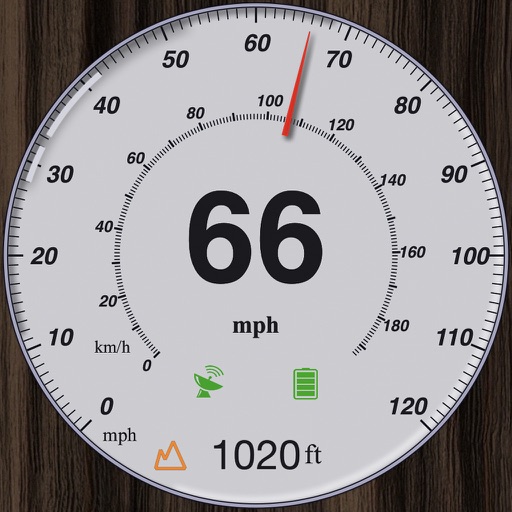
GPS measures and displays speed for walking, jogging, cycling, cars, boats, trains, and airplanes. Users can select display units and choose between two scales. Trip recording and average speed tracking are available.
Explore interactive stories with The ™. Tap to hatch the egg and guide the to find food. Learn about days of the week, numbers, and shapes through playful gameplay. Includes interactive elements and simple navigation for young learners.
Learn for fishing, climbing, boating, and scouting
Learn and practice over 220 used in fishing, climbing, boating, and scouting. Browse by category or search by name, synonym, or ABoK number. Save favorite for quick access and review.