
Apps Like Paintrix Studio: Digital Art for iPhone and iPad
Ranked alternatives
Showing 121–140 of 1,000 ranked alternatives.
Pic Cut Out - Background Paste
立明 张
Cut out backgrounds and images
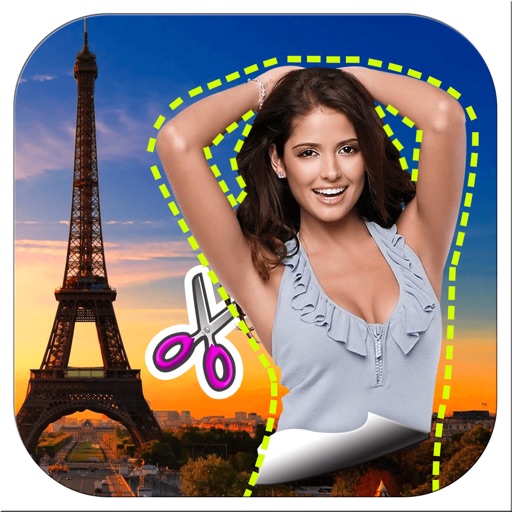
Remove backgrounds from images by drawing a closed curve. Automatically erase similar color areas for transparent results. Adjust brush size for precise edits. Pan, zoom, and rotate images.
Coloring Book - Drawing Games
Konstantin Radchenko
Color, draw, and share creations
Create and customize digital artwork with a wide range of colors and brushes. Choose from pre-designed pages or upload personal images for . Switch to dark mode to reduce screen strain. Save and share completed drawings.

Creatic: Graphic Design Editor
DELIX SOFTWARE SH.P.K
Create social media posts and logos
Create social media posts, flyers, collages, logos, and wallpapers with drag-and-drop tools. Use pre-designed templates for Instagram, Facebook, and phone wallpapers. Add text, images, and graphics.

Mega Voxels
Go Real Games, LLC
Create 3D pixel art and share it
Create 3D pixel art and voxel art using a full-featured voxel editor and pixel art editor. Use dozens of tools and brushes for block building, including pencil, bucket fill, and magic. Share creations via photos and videos.

Inkpad - Graphic Design
Envoza Ltd
Draw vector art with precision
Create vector artwork on iPad with precise drawing tools. Align objects to grids, paths, or points. Scale and rotate multiple objects in real time. Use masks to cut out elements from artwork or photos. Position text at any angle or along paths.
Inspire
snowCanoe
Paint, draw, and sketch anytime
Create paintings, drawings, and sketches with realistic brush strokes and 64-bit color. Use sub-pixel precision for detailed work. Import and export artwork in multiple formats. Access advanced tools for layering and color blending.

PicMix Lite
Voxeloid Kft.
Merge photos, edit with brush, create art
Merge multiple photos into a single artwork by selecting and combining image sections. Remove or re-add parts using finger painting techniques. Adjust brush settings for precision.
PixelPencil - Pixel art editor
Yosuke Seki
Draw art with layers and zoom
Create art with layer editing tools including adding, deleting, duplicating, hiding, sorting, and grouping layers. Use blend modes and transparency settings. Access various tools like pen, eyedropper, eraser, and selection.
iPastels
Norbyte
Sketch, paint, and refine digitally
Create artwork with realistic pastel simulation using live-calculated brushes and strokes. Sketch or paint digitally, test compositions, and refine techniques without physical supplies. Save and share paintings directly.

LogoScopic Studio – Logo Maker
RoadRocks DWC-LLC
Design logos with advanced tools and workflow
Create logos by choosing from thousands of templates. Recolor and customize designs. Combine multiple elements to build unique logos. Select from nine categories including iconic, modern, and wat. Edit with advanced tools and export final designs.

Spiral Painter
Anatoly Weinstein
Paint with brush and sketch
Create art with a brush that generates unique curves not found in other drawing tools. Use adjustable settings to customize brush behavior. Draw freehand or use predefined patterns. Export artwork in various formats and share directly.
Daydream Doodler
Norbyte
Draw art with a cartoon style.
The app offers cartoon-inspired drawing tools, including Pen and Eraser. It features fingertip stroke size adjustment and full Apple Pencil support.

Paintwork - Infinite Notebook
伟典 苏
Draw, edit, and share handwritten notes
Create handwritten notes and drawings with customizable brushes and erasers. Use vector tools for precise shapes and annotations. Add text, highlights, and special line effects. Save and organize digital sketches and journal entries.

Superimpose AI - AI Editor
Pankaj Goswami
Edit photos, add effects, and enhance visuals
Edit photos with AI-powered background removal and replacement. Generate realistic images from text. Use advanced tools like layers, masking, and cloning for detailed edits. Export and share edited photos directly.
PicMix
Voxeloid Kft.
Merge photos, edit layers, create art
Merge photos into artistic compositions by selectively editing and combining image elements. Remove or re-add parts using finger painting techniques. Adjust brush settings for precise control.
HuePaint
Norbyte
Create art with expressive painting tools.
The app offers live-calculated brushes and strokes that interact with a generated canvas texture. Users can adjust parameters like color and size while painting, and stroke size changes based on fingertip contact with the screen.
How we rank alternatives
Apps are ranked by functional similarity, category fit, rating confidence, and popularity.