

Apps Like FixPic - Image Editor for iPhone and iPad
Edit photos, crop, rotate, and enhance images
Edit photos with filters, cropping, and rotation tools. Add text and stickers. Export in multiple formats and share directly. Adjust brightness, contrast, and saturation. Apply artistic filters for enhanced visuals.
Ranked alternatives
Showing 121–140 of 1,000 ranked alternatives.

KLIM Film Scanner
Maxime Gheysen
Scan, edit, and share photos
Digitize negative and positive color films with high-quality scanning. Edit scanned images using intuitive tools. Adjust exposure, contrast, and color balance. Save and share edited photos directly.

Negative Image: Photo Enhancer
Ofir Yagil
Edit images and videos with precision
Edit photos and videos to apply effects. Adjust hue, saturation, brightness, contrast, exposure, and other parameters. Use smart sharpening filters to enhance image quality. Convert old photos to style. Export edited content in various formats.


Sketch Me! Sketch&Cartoon
pierre gougelet
Convert photos to drawings and share instantly
Turn photos into drawings, cartoons, or sketches with one click. Apply 19 effects with full control. Save creations and share via Facebook, Twitter, Flickr, Tumblr, and Email.

Filmr - Pro Video Editor
MEF comunicacao e divulgacao ltda- me
Create videos with intuitive tools
Record videos with manual controls for focus, exposure, and stabilization. Edit clips with trimming, transitions, and effects. Add text, music, and filters. Share directly to social media or save in high resolution.

Pixagram
pierre gougelet
Edit photos with filters and frames
Edit photos with color filters, light effects, and frame borders. Apply effects like Instafit and Orton. Add film grain and adjust contrast, brightness, and saturation. Include text with 30+ fonts. Share edited images to social networks.

Layered Filters Photo Lab
Mireia Lluch Ortola
Edit photos with unique and
Edit photos by selecting from a gallery or capturing new images. Apply unique and not found elsewhere. Adjust background colors and photo size. Combine multiple with a single tap. Export and share edited photos.


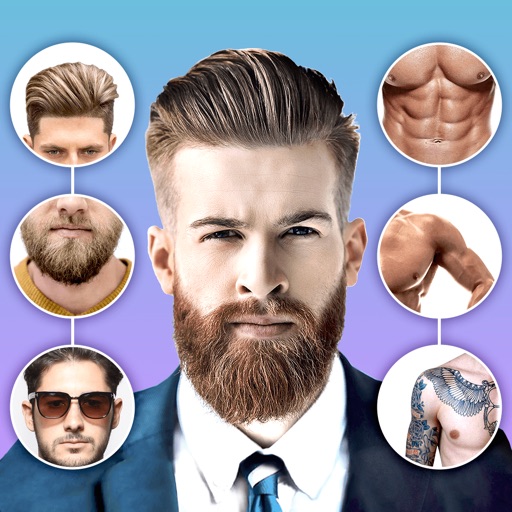
MakeUP - Photo Editor
Hareshbhai Issamaliya
Edit photos, enhance features, share instantly
Edit photos with body shape modification tools and hairstyle customization options. Adjust skin tone and facial features. Add filters and effects. Export edited images in various formats and share directly.

GIF Maker – GIFs for Texting
Dream Downloader Infotech Ltd.
Create from photos and videos
Create from photos, videos, or instant captures. Import from Tenor. Add text, stickers, and adjust speed. Share across social media and messaging apps.


Pixl: Face & Red Eye Corrector
Fitness Labs SRL
Edit photos, remove flaws, enhance looks
Edit photos with facial retouching tools to remove blemishes and enhance skin tone. Add artistic filters and effects to selfies and portraits. Export edited images in high quality and share directly from the .


WEILO - My Last Video Editor
vimosoft
Edit videos, add effects, and share clips
Edit videos with trimming, cutting, and splitting tools. Add transitions, effects, and text overlays. Import and export in various formats. Collaborate in real-time with multiple users. Adjust audio levels and apply filters.

Video Toolbox:Player & Editor
晓航 郑
Edit videos, cut clips, reverse playback, add
Allows users to cut, delete, and reverse clips. Apply real-time beauty filters and crop videos with white space. Rotate, flip, or merge multiple videos. Add music from a library and convert videos to GIF or live photo formats.

Selfie Cam - Beauty Camera
vijay kachhadiya
Edit photos, add effects, and draw
Edit photos with filters, cropping, and brightness adjustments. Add text, stickers, and drawings. Remove blemishes and whiten smiles. Create collages with multiple layout options. Export in various formats and share directly.
How we rank alternatives
Apps are ranked by functional similarity, category fit, rating confidence, and popularity.