Apps Like FixPic - Image Editor for iPhone and iPad
Edit photos, crop, rotate, and enhance images
Edit photos with filters, cropping, and rotation tools. Add text and stickers. Export in multiple formats and share directly. Adjust brightness, contrast, and saturation. Apply artistic filters for enhanced visuals.
by Sabrina Aridi★ 0.00 ratingsUtilitiesFreeData updated 2026-09-06
Edit photos to closed eyes using AI technology. Change eye colors with a variety of options. Swap eyes between individuals in portraits. Adjust and enhance eye details for artistic or corrective purposes. Export edited images in standard formats.
Edit photos with cropping, formatting, and collage tools. Apply professional filters, frames, and backgrounds. Use the aging camera to preview future self. Add animated effects and secure vault for private content.
Scan documents using the camera or export from the phone. Edit scanned files by cropping, rotating, adjusting brightness, and contrast. Share documents via email or messaging apps. Send faxes by scanning, adding a fax number, and sending.
Resize and crop photos by setting custom vertical and horizontal ratios. Select and trim multiple images with swipe gestures. Adjust photos in two modes: proportional cropping or adding color margins to fill missing areas.
Edit photos with blur background settings, shattering effects, and color frames. Add overlays and crop, rotate, or flip images. Import from gallery or camera, and share edited photos to social media.
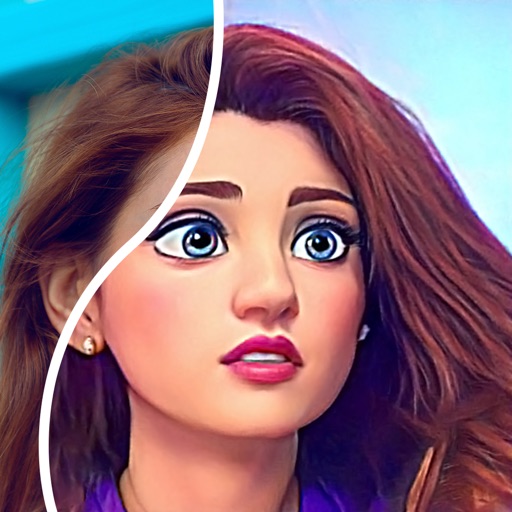
Convert photos into comic styles using AI algorithms. Edit avatars with retouching tools. Access various comic templates. Apply filters and adjust images for effects. Share edited images directly.
Edit photos with professional filters, effects, and frames. Retouch images with powerful tools like spot healing and color correction. Adjust brightness, contrast, and saturation. Crop, rotate, and apply stickers.
Rotate and videos directly on the device. Choose a video, set rotation degrees, and apply flips. Features include rotating at 90, 180, or -90 degrees, flipping horizontally or vertically, and combining rotation with vertical .
Turn photos into drawings, cartoons, or sketches with one click. Apply various effects including black strokes, white strokes, pastel, and halftone. Adjust edge strength, opacity, contrast, brightness, and saturation.
Digitize using AI-powered scanning. Organize files into folders and share them via email or cloud services. Edit scanned images, adjust brightness and contrast, and export in PDF or image formats.
PDF files by adding text, annotations, and highlights. Merge multiple PDFs into one document. Customize formatting and rearrange pages. Save and share edited files in various formats.
Images and videos with sharpening, upscaling, and detail refinement. Apply cartoon-style filters and adjust colors. Edit and export media without internet connection. Share directly or save to device.
Edit photos with exposure, contrast, highlights, shadows, whites, and blacks adjustments. Modify colors with saturation, vibrance, hue, and temperature. Remove haze and fog with an intelligent filter.
Edit videos by combining clips, adding text, and applying artistic effects. Trim, split, and rearrange scenes. Export in various formats and share directly from the .
Add holiday , backgrounds, and text to photos. Adjust brightness and contrast for better visibility. Share edited images directly to social media or via email.