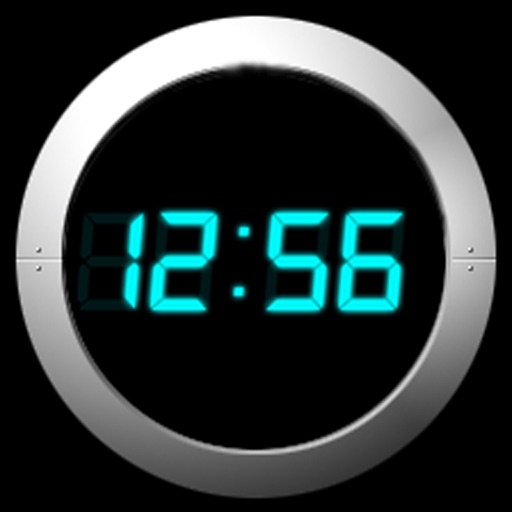
Displays a transparent digital on the desktop showing accurate time. Users can set it to always stay on top, ignore mouse events, choose system fonts, customize text color, and adjust shadow color and opacity.
by accorde Inc.★ 0.00 ratingsUtilities$2.99Data updated 2026-09-06
Challenge requires users to complete a challenge like math problems, mazes, or memory tasks to disable the . It offers no snooze option and includes bedtime reminders for sleep tracking. Users can customize sounds and set multiple alarms.
Displays the current time and date in large, readable text. Swipe up to access settings. Choose between 12-hour and 24-hour time format. Select date display options. Toggle visibility of the date and seconds.
View and customize the iconic "Destination Time" and "Present Time" displays. Navigate through different eras with interactive timelines. Set and adjust time travel parameters. Share time-travel moments via social media.
Display large, bold numbers that fill the screen for easy readability. Customize colors and themes to personalize the interface. Set alarms and timers with intuitive controls. Switch between analog and digital views.
Set alarms with customizable sounds and volume control. Play personal music or songs from device storage. Adjust display settings and choose timing options.
The app offers a customizable alarm clock experience with features like user-uploaded backgrounds, local weather information, and voice commands. It includes motivational wake-up prompts and fun character voices to help users get out of bed.
Control DMX and Apple HomeKit lights with advanced lighting profiles. Adjust intensity, color, and movement. Manage multiple universes and RDM devices. Search fixtures universally. Customize scenes and save presets for lighting setups.
Displays using color-changing circles that shift between blue shades. Users can customize circle colors. The includes a tutorial to learn how to read . It functions as a watch face.
Turn your Apple device into a showing seconds, date, and battery percentage. Customize the clock face with colors and display options. Supports portrait and landscape orientations for flexible use.
Set wake-up time and choose a ringtone or custom music. Add tasks to complete to stop the . Scan barcodes to quickly access tasks or settings. Adjust volume and repeat options. View completed tasks and track progress over time.
The app requires users to scan a barcode to turn off its loud, procedurally generated ringtones. Users can set multiple alarms with a lock feature to prevent cancellation and customize the interface with dark mode and various clock faces.
Add watermarks to images, videos, and PDF files using custom text or uploaded logos. Customize positions, opacity, and fonts. Batch-process multiple files without altering originals. Save and share watermarked copies securely.
Display current time with customizable including Swiss Federal Railways and Girl designs. Show location-based weather data and 4-day forecast. Set alarms and timers. Sync with system time and date.
Display current temperature, humidity, wind speed, direction, feels like, and pressure. Update data every 10 to 30 minutes. Set alarms with customizable settings. View large digital or analog faces. Choose from various themes and adjust settings.
Apply to any website for easier reading. Enable night shift with a yellow tint to reduce eye strain. Customize background color and opacity. Save battery power during nighttime browsing.
Set alarms without a snooze button. Customize backgrounds with photos or built-in designs. Check weather for your location. Use voice commands to set alarms, check time, or control lighting.
Set alarms with from your iPod library. Choose multiple alarms and customize vibration settings. Enable weekday/weekend repeats and switch between digital and analog themes. Adjust colors and time/date settings.