

Apps Like braindump.ai for iPhone and iPad
Capture ideas, tasks, and details
Capture ideas, tasks, and details with voice or text input. Meera AI organizes and prioritizes content automatically. Set reminders, sync across devices, and access notes and tasks from any device.
Ranked alternatives
Showing 101–120 of 1,000 ranked alternatives.

Proactor AI-Transcribe to Text
PROACTORAI LIMITED
Capture, organize, and summarize conversations
Capture and organize spoken conversations in real time. Summarize key points and highlight important details. Retrieve past conversation history and provide context-based insights. Integrate with other apps for note-taking and task management.

ADHD Planner: Nudgly
LaBounty Labs, LLC
Text tasks, set reminders, build habits
A productivity that helps manage recurring tasks and build habits without a paywall. Users text tasks to an AI assistant who prioritizes them, breaks them into steps, and sends reminders.

Blink - Quick Notes & Widget
EUIHYUNG JUNG
Capture thoughts with one tap
Capture ideas, grocery lists, and with one tap. View all in a non-listing layout for access. Type directly into without folders or categories. Export to other apps or devices.


1 Day TODO: Daily Planner 2026
Belychev Sergei Nikolaevich, IP
Plan tasks, mark done, reschedule
Create to-do lists and mark tasks as completed. Add new items and plan tasks for future days. Automatically reschedule unfinished tasks to the next day. Organize multiple lists for shopping, gifts, calls, and more.


kloob
kloob, LLC
Plan events, share details, manage tasks
Create and manage events quickly with real-time updates and task tracking. Share event details including goals, budgets, and contacts. Track RSVPs and attendance. Communicate through instant notifications and group chats.

My Daily Memo
Yohan Yi
Plan tasks, schedule events, and track progress
Intuitive calendar lets users schedule events and manage tasks. Quick notes feature allows saving and retrieving important details. Customizable calendar lets users track errands and plan projects.


Reflect: AI Journal, Gratitude
CANOPAS SOFTWARE LLP
, track, and understand your thoughts
Track mood and thoughts with daily prompts and journaling. Use AI coaching to explore emotions and gain insights. Set reminders and on progress over time. Export entries and share securely with trusted contacts.

Bookmark Wallet
OrionEdge Technologies LLC
Save and browse your favorite links
Save and organize web links, documents, and notes in a single . Add tags and notes to each item. Browse saved references, manage todos, and access content across devices.

Snapnote: Your AI Idea Compass
Yongjun Lee
Snap notes and generate ideas
Snap notes! Capture ideas, links, and to-dos instantly. Use AI to generate and expand thoughts from notes. Organize memos into categories. Set reminders and sync across devices.


Whatting — Daily Planner Notes
Haneunjoong Inc.
Plan, journal, and organize your day
Customizable widgets allow personalized layouts. and calendar help organize tasks and schedule events. Digital journal and diary enable reflections and free writing. To-do lists and tasks let users create and manage reminders.

BigHairyGoal – mindmap todo
Wolfgang Berberich
Map ideas, track progress, organize plans
Create visual mind maps to organize ideas and projects. Link related information and collect thoughts in a structured flow. Track progress with visual timelines and set milestones for goal achievement. Share and export maps in multiple formats.
Toolkit Free – Flash Light, Battery Saver etc.
MULIAN LI
Practical tools for daily life.
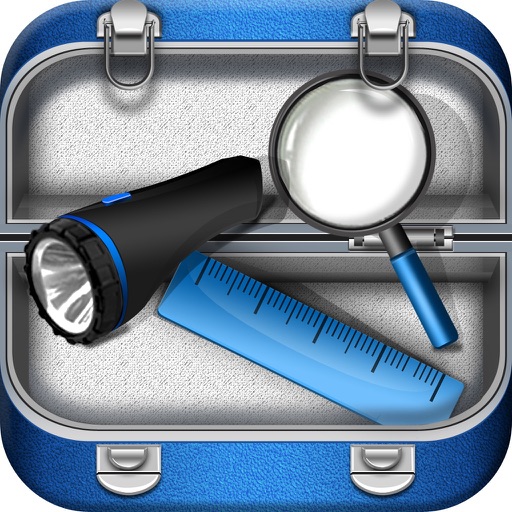
The app offers a collection of tools including a flashlight, SOS alarm, battery monitor, mirror, ruler, and magnifier. It provides a beautiful and easy-to-use interface for daily tasks.


Quick Capture & Notes - Qept
Willem de Beijer
Thoughts, organize , act on ideas
Create by typing or voice, similar to messaging apps. Organize ideas into folders and tags. Set reminders and deadlines. Export to other apps or devices. Sync across multiple devices.
How we rank alternatives
Apps are ranked by functional similarity, category fit, rating confidence, and popularity.